
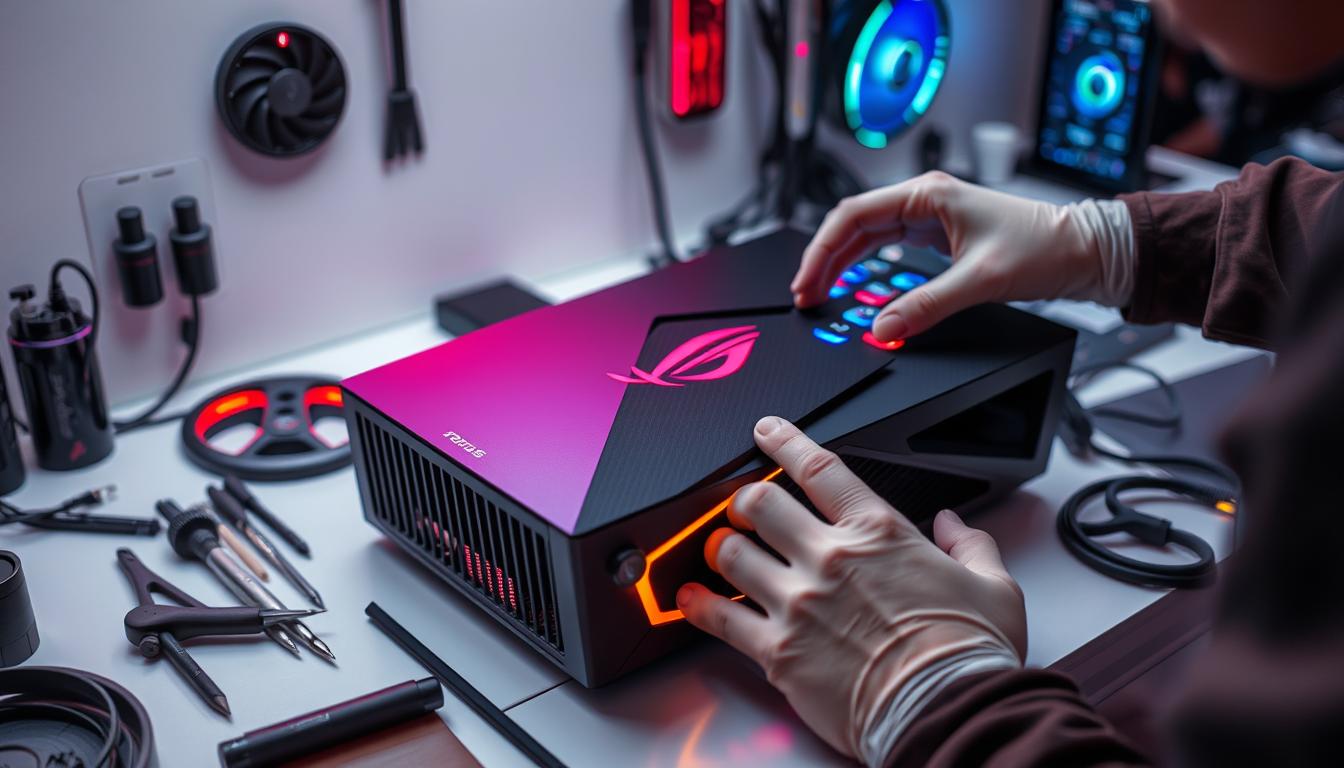
ASUS ROG Ally Repair Guide (2026): Common Problems, Warranty Options, and Safe Next Steps
If your ASUS ROG Ally starts acting up—random shutdowns, stutters, charging issues, or stick drift—this guide is for you. We’ll walk through safe, software-first troubleshooting, when to switch to repair service, and how to choose between official support (warranty repairs) vs a local shop—without paying for guesses on your ASUS ROG Ally console.
Need hands-on help? Start with our game console repair hub (services + booking), or use the buttons below.
Quick Answer
Yes—most ASUS ROG Ally repair cases are fixable. Start with software-only checks first (updates, a full power reset, and storage health). If the issue keeps happening—or you notice physical symptoms like a loose USB-C port, overheating shutdowns during gaming, or real stick drift—use the lowest-risk route: ASUS warranty / asus service if covered, or a trusted local shop for faster diagnosis. Diagnose first, then repair.
TL;DR
- Update Armoury Crate SE + Windows before you assume hardware is dead.
- If it’s in-warranty, start with official support to keep coverage clean.
- For ports, heat, SSD, or drift: get diagnostics before buying parts.
- Avoid deep disassembly—compact handhelds punish mistakes.
Try this first: safe checks (manual steps + firmware)
Before you order parts or assume a “board problem,” start with safe, software-first steps. These are the best “DIY” checks because they don’t require opening the console.
1) Update Windows + Armoury Crate SE (firmware + drivers)
Many controller overlays, performance stutters, and input bugs come from driver/firmware mismatch. Run Windows Update fully, then update Armoury Crate SE (Update Center).
2) Full power reset (safe)
If the ROG Ally is frozen or acting “dead,” do a full shutdown, unplug, then hold Power for ~20 seconds and reboot. If hard shutdowns keep happening under load, stop here.
3) Storage health check
Low storage or corrupted files can create boot loops, update failures, and random stutters. Free space + basic health checks are safe and often solve “bad performance” complaints.
When to stop DIY
Stop and bring it in if you smell burning, see swelling, suspect liquid exposure, notice a loose/damaged charging port, or get repeat shutdowns while gaming. Opening the device (heat, soldering, board work) can escalate damage and may affect warranty repairs.
Official references (manual/downloads & reliable ASUS support): Warranty Status Inquiry • ROG Ally drivers/firmware downloads • Armoury Crate SE FAQ
Watch this helpful video
ROG Ally X models: what changes for repair
Not every unit is identical on the bench. Different ROG Ally / rog ally x revisions can affect parts compatibility, heat behavior, and what’s required after an SSD swap or recovery.
If you’re comparing platforms (or routing the right console service), these sibling pages help: Steam Deck repair PS5 repair services Xbox repair options
Common issues we fix on the ASUS ROG Ally console
Here are the most common symptoms we see—and what they usually mean.
Charging issues (USB-C port, dock detection, “only charges at an angle”)
Dirt, cable strain, or connector damage can cause unstable charging. Don’t force the cable—port damage escalates fast. If you suspect port looseness, stop and get diagnostics.
Stick drift / dead zones / “aim moves by itself”
Sometimes calibration and dead-zone settings help. True drift from wear is usually hardware and needs parts replacement + proper testing.
Overheating, loud fan, or shutdowns during gaming
This can be airflow/dust, fan wear, or a deeper thermal issue. If it powers off under load, treat it as a safety signal—don’t keep stress-testing it at home.
SSD / storage issues (slowdowns, freezes, boot loops)
SSD problems can mimic Windows driver failures. If you’re upgrading storage, plan recovery and drivers first—physical swaps are only half the job.
Related (internal)
If your symptoms look more like a Windows PC issue than a console issue, start with laptop troubleshooting, then route to laptop repair or computer repair.
ASUS service + official support: warranty and covered repairs
If you want to repair your asus with the lowest risk, confirm your asus warranty status first. Coverage varies by region and retailer programs, and some issues may have special policies.
Check warranty status first (2 minutes)
Don’t guess—verify by serial number. If you want warranty repairs, avoid opening the device and stick to software-only troubleshooting.
- Warranty Status Inquiry (official)
- Online RMA instructions (official) — how ASUS service requests work.
Does ASUS offer free repairs?
Potentially—if the issue is covered and within warranty. Accidental damage, liquid exposure, and prior modifications can move you out of coverage.
What to expect with warranty repairs (RMA basics)
Manufacturer repair adds transit + queue time. Document the device condition, describe symptoms clearly, and follow packaging instructions. If you need faster answers, local diagnostics first can prevent shipping the wrong problem.
Warranty note
Third-party internal work can affect eligibility. If you’re still covered and want to keep it clean, consider the official support route first.
Cost and turnaround: what drives your quote
The cost of repairs depends on what failed and how complex access is on this compact handheld console.
- Part type & availability: ports vs stick modules vs SSD work.
- Labor complexity: compact layouts, ribbon cables, precise screws, and careful reassembly.
- Failure category: wear vs impact vs liquid exposure.
- Parts sourcing: genuine parts (when available) vs compatible parts—quality matters on handhelds.
How long will ROG Ally repair take?
Manufacturer service typically takes longer because of shipping and queue time. Local repair is often faster because diagnostics can happen quickly and the fix can be scheduled once parts arrive.
Parts options explained (original vs compatible)
For parts for asus rog ally, official channels can be limited. A reliable shop will match the exact revision, verify fit, and test after the repair—so you get stable charging, correct controls, and consistent performance.
Decision table: DIY vs local shops vs manufacturer
Use this to pick the safest next step based on your symptoms.
| Route | Best for | Why it works | Watch-outs |
|---|---|---|---|
| Safe software checks | Updates, stuck power states, basic health checks | No-cost troubleshooting that preserves coverage | Won’t fix physical failures |
| Official support (warranty) | In-coverage defects and policy-protected route | Best alignment with ASUS warranty repairs | Transit/queue time; limited visibility while it’s away |
| Local repair service | Ports, sticks, SSD work, faster diagnosis | Transparent testing + quicker turnaround options | Choose a shop that tests before quoting |
| DIY internal repair | Experienced techs with proper tools | Can be cheaper if done correctly | Highest risk (damage + potential warranty impact) |
If you want us to evaluate your ASUS device, start here: repair request form.
What we see in the shop (repair experience)
These patterns help owners avoid wasted money and repeat failures:
- “Won’t turn on” is often power-state related—confirm updates and reset before assuming board failure.
- Stick issues can be calibration, but true drift needs parts work and real testing.
- Charging complaints get worse when cables are forced—early inspection saves the port.
- SSD swap problems are usually recovery/setup mistakes, not the physical install.
- Heat complaints improve when we test under real load—not random tweaks.
- Clear symptom notes = faster diagnosis and fewer unnecessary parts.
What we check during ROG Ally diagnostics
- Power & charging behavior: stable charging, connector fit, safe power-state resets.
- Thermals under load: fan behavior, temperatures, shutdown triggers.
- Storage & system health: SSD health indicators, Windows stability, corruption signs.
- Controls: stick calibration, drift confirmation, button response testing.
- Ports & accessories: USB-C stability, dock detection, display output checks.
Find a Phone Repair & More store in Florida
We’re a multi-location repair business—so you can get help without shipping across the country. Use our Florida locations page to find the closest store.
Popular store pages:
Palm Harbor Carrollwood Wesley Chapel
Tip: If you’re also troubleshooting other consoles, see Nintendo Switch repair.
What to do next
If you want a clear diagnosis and a safe plan, bring your asus handheld to Phone Repair & More®. We prioritize reliable ASUS diagnostics, explain what failed in plain English, and recommend the fix that makes sense for your device’s value.
For service details and what we fix, see our console repair services page.
Free diagnostics are available for many devices, and we offer same-day service on many repairs when parts are in stock.
Data + accounts: what to back up before repair
- Sync important files (game saves, screenshots, documents) if the device still boots.
- Note any Windows sign-in details you’ll need after updates or recovery.
- Log out of sensitive apps you don’t want cached (banking, password managers).
What to bring (to speed up diagnosis)
- The ROG Ally + charger (or dock) if you suspect charging/USB-C issues.
- A short symptom note: when it happens, what you tried, and any error messages.
Also related: Steam Deck PS5 Xbox
FAQ: ASUS ROG Ally repair
1) Can you fix charging that only works at an angle?
Yes—this often points to a USB-C port/connector stability issue. Stop forcing the cable and get it checked so the damage doesn’t worsen.
2) Is stick drift always a hardware problem?
Not always. Calibration can help, but true drift from wear typically needs parts replacement and proper testing.
3) Should I open my ROG Ally to clean it?
If you’re considering ASUS warranty repairs—or you’re not experienced—avoid opening it. Compact devices are easy to damage and internal work may affect coverage.
4) Do you repair liquid damage?
Liquid exposure needs fast, careful evaluation. Don’t power it on repeatedly—bring it in so we can assess the board safely.
5) Can you help if it won’t boot after an update?
Yes. Many “dead” devices are recoverable with safe diagnostics and the right recovery steps.
6) Do you replace SSDs?
We can help with SSD-related issues and upgrades, but the key is confirming the real cause first—SSD symptoms can mimic software or driver problems.
7) Will repairs delete my data?
It depends on the failure and what’s required to stabilize the system. If it boots, back up first. If not, we’ll discuss recovery options.
8) How do I know if it’s warranty or paid repair?
Check ASUS warranty status by serial number first. Then choose the lowest-risk route based on coverage and urgency.
9) Can you give an exact price online?
Exact pricing depends on what failed and parts availability. Diagnostics first prevents paying for unnecessary work.
10) Is shipping to the manufacturer always better?
If you’re covered and can wait, it’s a solid option. If you need speed or you’re unsure what’s wrong, local diagnosis can be smarter first.
11) What’s the safest DIY I can do?
Software-only steps: updates, power reset, storage space checks. Avoid opening the device or doing internal work.
12) Do you fix other ASUS products or handheld consoles?
Yes—besides ASUS devices, we also help with common consoles. Use the related links (Steam Deck, PS5, Xbox) to route the right service.
13) How fast can you diagnose it?
Bring clear symptom notes and the charger/dock if relevant. That usually speeds diagnosis and reduces unnecessary parts swaps.
14) Do you offer mail-in repair?
Options vary by location and device. Start with the repair request form and we’ll confirm what’s available for your situation.
About the author
Written by: Mido, CEO — Phone Repair & More®
Updated: January 2026
Mido leads a Florida repair team focused on safe diagnostics, transparent recommendations, and durable fixes for phones, computers, and gaming consoles—including ASUS handhelds like the ROG Ally.