
Phone Repair & More® — Palm Harbor (Alderman Plaza)
Game Console Repair in Palm Harbor, FL
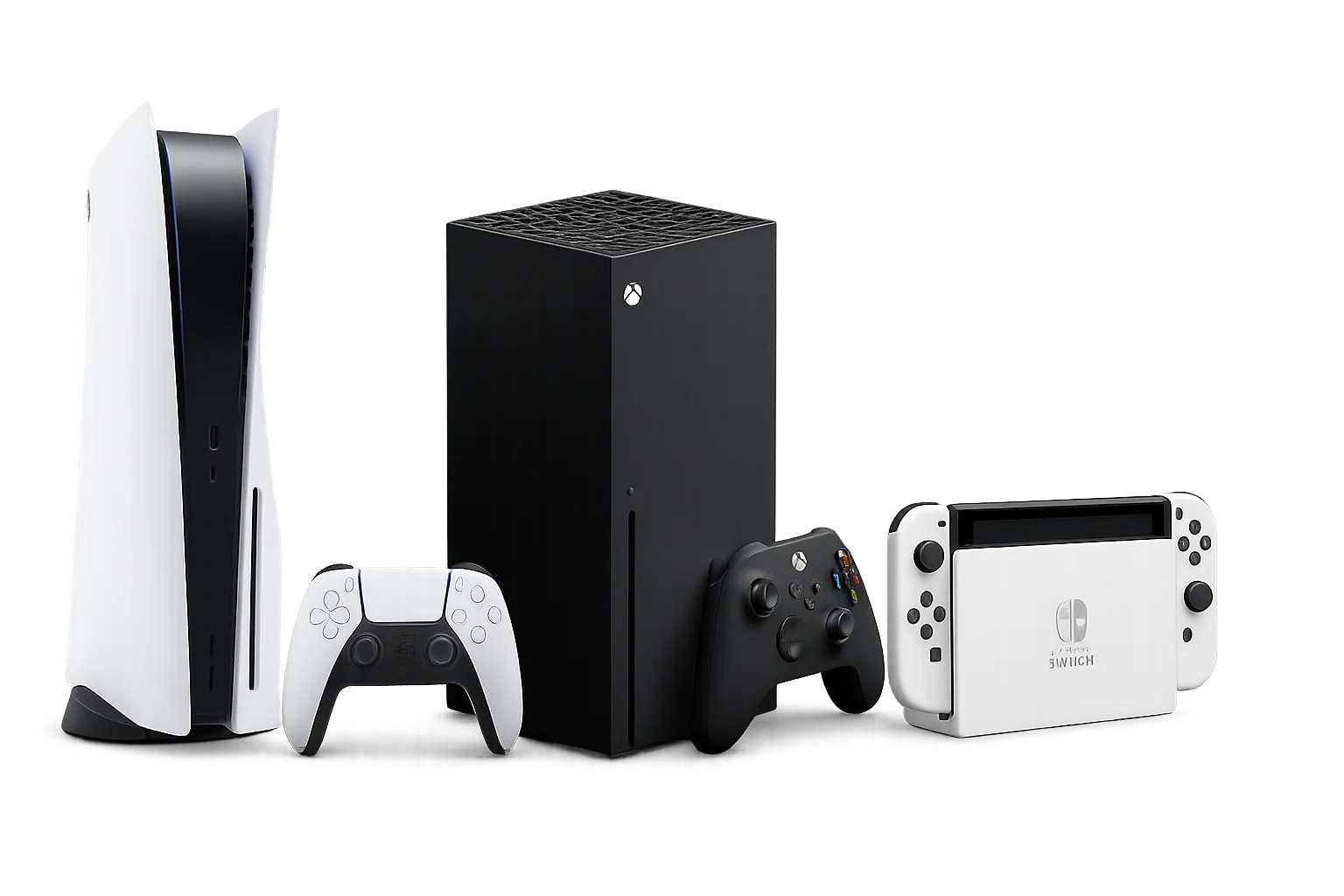
We repair PlayStation, Xbox, and Nintendo Switch consoles (and many controller issues). You’ll get a clear quote after inspection—price depends on the exact model + what’s damaged.
TL;DR Quick Answers
- We repair PlayStation, Xbox, and Nintendo Switch consoles (and many controller issues).
- Common fixes: HDMI “no signal,” overheating/fan noise, power issues, software errors, and stick drift.
- You’ll get a clear quote after inspection—price depends on the model + the damage.
- Our Palm Harbor shop is in Alderman Plaza on US Hwy 19 N.
For other services at this location, visit the Palm Harbor hub: Palm Harbor Store
Customer Reviews
Phone Repair & More® is rated 4.9 with 12,886 Google reviews across locations.
★★★★★
“I had ps5 hdmi problems and they fixed it and it was fast.”
— Daniel Fernandez
★★★★★
“They are repaired my PS5, was be fast and pretty good, thanks guys.”
— Jair Buelvas
★★★★★
“Brought in my Xbox with a ‘No Signal’ issue and they diagnosed it fast. The repair was done the same day.”
— Brooke V.
Book Game Console Repair (Palm Harbor)
Use the form below to start your repair request:
Prefer calling? (727) 309-1268
Fast Diagnosis for Game Console Problems (What Your Symptoms Usually Mean)
“No Signal” / Black Screen
Most often: HDMI port damage, a bent connector, or a cable/TV port issue.
- Try a different HDMI cable and a different TV port
- Don’t force the cable if it feels “loose” (that can worsen port damage)
Console Powers On… Then Shuts Off / Won’t Stay On
Common causes: power supply issues, overheating protection, internal faults, or storage problems.
- Unplug power for a few minutes, then try again
- Make sure vents aren’t blocked (don’t open the console)
Loud Fan, Overheating, Random Crashes
Often: dust buildup, dried thermal material, or airflow blockage.
- Move the console to an open area (not inside a tight cabinet)
- Avoid blasting compressed air into vents (it can push debris deeper)
Error Codes, Updates Failing, Storage Problems
Often: software corruption, failing storage, or update/install issues.
Tip: Try official safe-mode / recovery steps first. If it persists, we’ll confirm if it’s software or storage-related.
Controller Stick Drift / Buttons Not Responding
Usually: worn joystick modules or debris inside the stick mechanism.
- Update controller firmware if available
- Avoid spraying cleaners into the joystick area
Repairs We Offer (PlayStation, Xbox, Nintendo Switch)
Video & Connection
- HDMI port repair / replacement
- Display handshake testing (known-good accessories)
Power & Boot
- Power-related troubleshooting
- Storage / drive troubleshooting (model-dependent)
Cooling & Performance
- Fan service / thermal cleaning (model-appropriate)
- General maintenance / internal cleaning
Software & System
- System troubleshooting & restore support
- Update/install error troubleshooting
Nintendo Switch Family
- USB-C port (charging) fixes
- Charging IC repair (where applicable)
- Maintenance / tune-up
Controller Issues
- Joystick drift
- Buttons not responding
- Post-repair functionality checks
Popular Repairs & Pricing
Pricing notes: Baseline shop pricing. Final total depends on the exact model, condition, and inspection results. If multiple issues exist (example: HDMI damage + overheating), pricing can change after diagnosis.
Xbox Console Pricing (Popular Services)
| Xbox Model | HDMI Port | Joystick Drift | Power Supply (Starting) | Hard Drive (Starting) | Software (Starting) | Fan Replacement | General Maintenance | Something Else |
|---|---|---|---|---|---|---|---|---|
| Xbox Series X | $89.99 | $35.00 | $49.99 | $59.99 | $39.99 | $29.99 | $69.99 | Free Diagnostic |
| Xbox Series S | $89.99 | $35.00 | $49.99 | $59.99 | $39.99 | $29.99 | $69.99 | Free Diagnostic |
| Xbox One | $89.99 | $35.00 | $49.99 | $59.99 | $39.99 | $29.99 | $69.99 | Free Diagnostic |
| Xbox One S | $89.99 | $35.00 | $49.99 | $59.99 | $39.99 | $29.99 | $69.99 | Free Diagnostic |
| Xbox One X | $89.99 | $35.00 | $49.99 | $59.99 | $39.99 | $29.99 | $69.99 | Free Diagnostic |
“Something Else” for Xbox: Free diagnostic / inspection.
PlayStation Console Pricing (Popular Services)
| PlayStation Model | HDMI Port | Joystick Drift | Power Supply (Starting) | Hard Drive (Starting) | Software (Starting) | Fan Replacement | General Maintenance | Something Else |
|---|---|---|---|---|---|---|---|---|
| PS5 | $89.99 | $35.00 | $49.99 | $59.99 | $39.99 | $49.99 | $69.99 | Free Diagnostic |
| PS4 | $89.99 | $35.00 | $49.99 | $59.99 | $39.99 | $49.99 | $69.99 | Free Diagnostic |
| PS3 | $89.99 | $35.00 | $49.99 | $59.99 | $39.99 | $49.99 | $69.99 | Free Diagnostic |
| PS2 | $89.99 | $35.00 | $49.99 | $59.99 | $39.99 | $49.99 | $69.99 | Free Diagnostic |
“Something Else” for PlayStation: Free diagnostic / inspection.
Nintendo Switch Pricing (Popular Services)
| Nintendo Model | USB-C Port | Charging IC | General Maintenance | Something Else |
|---|---|---|---|---|
| Nintendo Switch | $69.99 | $89.99 | $49.99 | Free Diagnostic |
| Switch Lite | $69.99 | $89.99 | $49.99 | Free Diagnostic |
| Switch OLED | $69.99 | $89.99 | $49.99 | Free Diagnostic |
“Something Else” for Nintendo Switch: Free diagnostic / inspection.
What to Expect at Our Palm Harbor Store
Quality & Warranty
We stand behind our work and can explain warranty coverage based on the specific repair performed.
Note: If you want exact warranty wording on the page, send it and we’ll insert it.
When Not to DIY
- HDMI “no signal”: don’t wiggle/force the cable—this can turn a port issue into board damage.
- Overheating: don’t open the console unless experienced—ripped connectors are common.
- Liquid exposure: power off immediately and avoid “testing it again”.
- Switch not charging: avoid aggressive cable/port pressure—USB-C ports can tear from the board.
Visit Phone Repair & More® — Palm Harbor
Located in: Alderman Plaza
Address: 35168 US Hwy 19 N, Palm Harbor, FL 34684
Phone: (727) 309-1268
Hours: Mon–Sat 10:00 AM–7:00 PM • Sun: Closed
Quick tip: bring your console + cords/controllers so we can reproduce the issue fast.
Easy in/out from US-19. Parking available in Alderman Plaza.
Neighborhoods, ZIPs & Landmarks We Serve Around Palm Harbor
ZIP Focus
- 34684 (store ZIP)
- 34683
- 34685
Areas + Roads + Landmarks
- Ozona • Crystal Beach • East Lake • Highland Lakes
- Curlew area • Innisbrook area • Tarpon Springs fringe
- US-19 • Tampa Rd / Curlew Rd • Alt 19
- Innisbrook Golf Resort
Coming from nearby? Bring your console + power/HDMI cables so we can reproduce the issue fast.
Get Your Console Back in the Game (Palm Harbor)
HDMI “no signal,” overheating shutdowns, power problems, Switch charging issues—bring it in for testing and a clear plan.
We’ll guide you step-by-step.
FAQs (Palm Harbor Game Console Repair)
Do you repair PS5, PS4, Xbox Series X|S, and Nintendo Switch?
How much does HDMI port repair cost?
Do you fix controller stick drift?
Do you offer a diagnostic?
Will I lose my saved data?
How long will it take?
What should I bring to the store?
Palm Harbor Game Console Repair — Call or Get Directions