
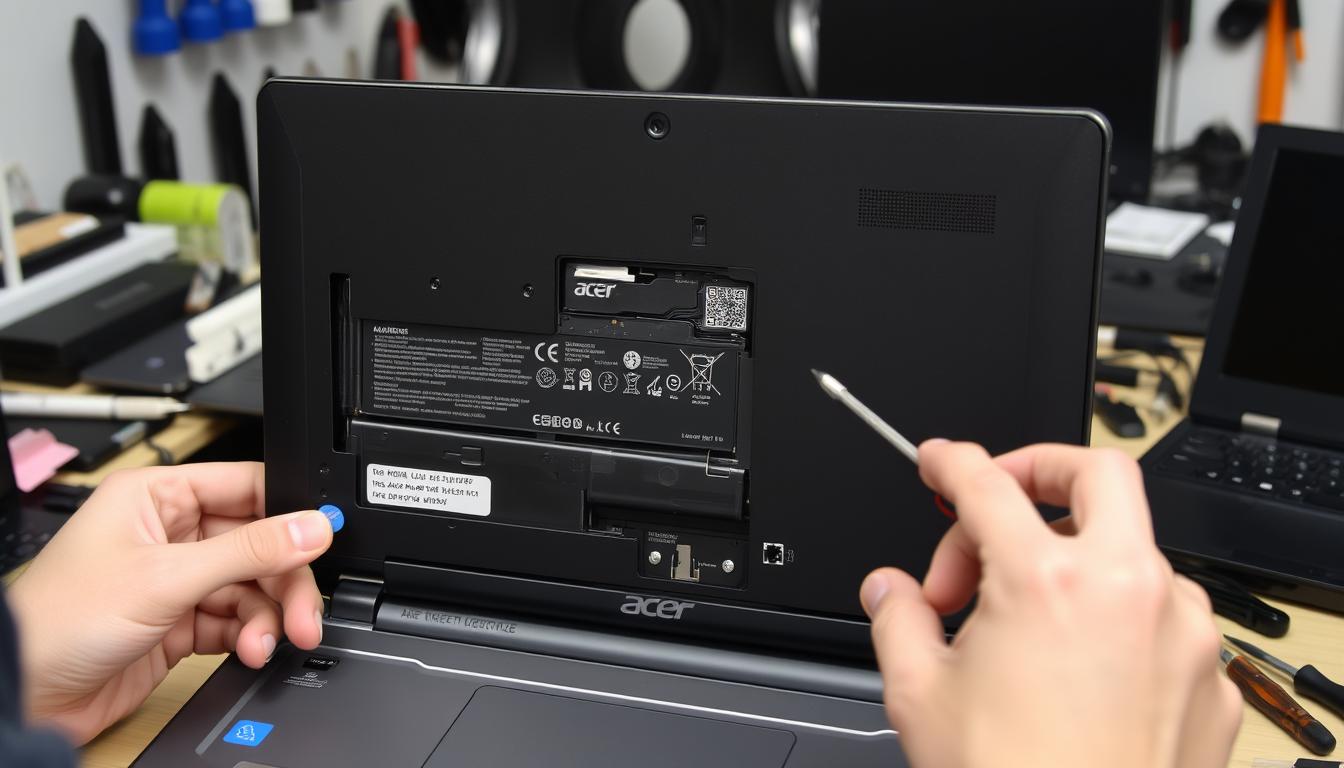
Laptop Battery Replacement: Signs, Safety, Cost Drivers & When to Book a Repair
If your laptop dies at 30%, won’t hold a charge, or the trackpad area feels “puffed,” you may be dealing with a worn—or swollen—battery. This hub walks you through the safest checks you can do at home, how we confirm the real cause in-shop, and what a proper replacement looks like for Windows laptops and MacBooks.
TL;DR (Quick Answer)
- Most common signs: rapid drain, sudden shutdowns, “plugged in, not charging,” heat near the battery area, or a bulge in the case.
- Swollen battery = safety issue: power down, unplug, stop using it, and don’t press or puncture the pack.
- Battery vs charger vs port: a quick battery health report + power test usually reveals the true culprit.
- Cost varies by model: the exact battery type, parts availability, and how much disassembly your laptop requires.
- Best next step: book a repair request and bring your charger so we can test the full power chain.
Quick Answer
If your laptop is swollen or the case is lifting, stop using it and bring it in. If it’s just draining fast or shutting down early, start with a battery health check (Windows battery report or macOS battery status), then schedule service so we can verify the charger, port, and battery together.
Helpful next reads: Computer Repair PC Repairs Near Me Desktop Troubleshooting
1) Signs You Need a Laptop Battery Replacement
Laptop batteries usually wear down gradually—until one day you’re tethered to the wall or the laptop shuts off at “random” percentages. These are the real-world signs we see most often in the shop.
Rapid drain & sudden shutdowns
If your battery drops fast (especially under load) or the laptop powers off at 20–40%, the battery’s usable capacity may be far below design. This is one of the clearest signals that replacement is the right move—after we confirm the charger and port are healthy.
“Plugged in, not charging” or charging stuck
This is not always a battery. It can be the charger, the charging port (DC jack / USB-C), or the charging-control section on the board. The fastest path is to test the charger output and the laptop’s power intake, then confirm battery health.
Heat near the palmrest or battery area
Heat doesn’t automatically mean “battery,” but failing batteries can run hotter—and heat accelerates wear. If the area around the battery feels unusually warm, don’t ignore it.
Case lifting, bowed bottom cover, or weird trackpad clicks
If the laptop doesn’t sit flat, the bottom cover looks bowed, or the trackpad suddenly clicks differently, you may have a swollen battery pushing outward. Treat this as a safety issue—see the next section.
Battery warnings or “service recommended” messages
OS warnings are useful, but not perfect. A battery report (Windows) or battery status check (Mac) is a stronger confirmation, and an in-shop power test closes the loop.
If your laptop also has performance issues, it’s often smarter to pair battery service with a full checkup on computer repair.
2) Swollen Laptop Battery Safety (Must Read)
If your battery is swelling/bulging: stop using the laptop and don’t keep charging it. Swollen lithium batteries can be hazardous if punctured, squeezed, overheated, or shorted.
What to do right now
Should you keep using a laptop with a swollen battery?
Strong recommendation: no. Swelling is not “normal aging.” It’s a sign something has gone wrong inside the pack, and continuing to use it increases risk and can damage the chassis and trackpad.
If you want a manufacturer-style overview of swelling risks and handling, Dell has a solid resource here: Dell swollen battery guidance.
Important: If your laptop uses an embedded (internal) battery, opening the device incorrectly can crack plastics, strip screws, tear ribbon cables, or damage the board. If there’s swelling, don’t attempt disassembly—bring it in.
3) Battery vs Charger vs Charging Port — How to Tell What’s Actually Broken
A lot of “battery problems” are really power-chain problems. In the shop, we follow a clean order: test the charger → test power intake → confirm battery health → inspect the port/board if needed.
When it’s probably the battery
- Battery health shows low usable capacity compared to design
- Shuts down at inconsistent percentages
- Won’t charge past a low percentage even with a stable charger
- Any swelling or physical deformation near the battery area
When it’s probably the charger
- Charging cuts in/out when you move the cable
- The laptop charges normally with a known-good charger
- Damaged cable, bent connector, or intermittent power behavior
If you’re booking, include your exact model and bring your charger so we can test the chain end-to-end. Repair Request
When it’s probably the charging port (or DC jack)
- Charger “fits loose” or only works at certain angles
- Port feels wobbly or has visible damage
- Battery appears healthy but won’t charge through the port
- USB-C charging works on one port but not another (on multi-port models)
Quick USB-C clarity
Not every USB-C port supports charging. Some are data-only. Even on charging-capable models, the charger must provide the right wattage for stable charging—especially under load. If you’re unsure, we can verify the correct setup at check-in.
4) How to Check Battery Health (Windows & Mac)
A health check won’t fix a failing battery, but it stops guessing. These are quick, safe checks you can do before booking service.
Windows: generate a battery report
Windows can generate a report showing design capacity, full charge capacity, and recent usage. If full charge capacity is far below design, replacement is often the cleanest fix.
Steps:
- Open Command Prompt as Administrator
- Run:
powercfg /batteryreport
Open the HTML report at the path Windows displays. Compare “Design Capacity” vs “Full Charge Capacity.”
MacBook: check battery condition
On macOS, you’ll typically see battery condition in system settings, and many models also expose cycle count in system information. If you’re seeing service warnings, major runtime loss, or unexpected shutdowns, it’s time for a proper inspection and battery verification.
If you’re not sure whether it’s “battery” or “charging,” book a check and bring your charger: Start Here
5) What Happens During a Proper Laptop Battery Replacement
A professional replacement is more than “swap the pack.” The goal is stable charging, predictable runtime, and safe reassembly—without damaging clips, screws, or internal cables.
What we do in the shop
Battery replacement typically doesn’t touch your files, but it’s always smart to back up important data before any hardware service.
Embedded vs removable batteries (why it matters)
Removable batteries (older laptops) may pop out. Embedded batteries (most modern laptops) require bottom-cover removal, careful connector handling, and sometimes shields or adhesives. That affects both time and complexity.
When to stop DIY and bring it in
If the battery is swollen, if the laptop requires deep disassembly, or if you’re seeing charging-port symptoms (loose fit, intermittent power), it’s safer to stop and let a technician handle it. One slip can turn a battery job into a board or cable repair.
Related services: Laptop Repair All Services
6) Laptop Battery Replacement Cost Drivers (What Changes the Quote)
Laptop batteries vary widely by model and design, so accurate pricing depends on verifying your exact make/model and the correct battery type. Here are the factors that change the quote most.
Parts factors
- Model-specific battery: different sizes, voltages, and connectors
- Availability: supply varies by brand and model year
- Compatibility requirements: some laptops are picky about battery IDs and power behavior
Labor factors
- Embedded designs: tight chassis, shielding, delicate connectors
- Access complexity: some models require deeper teardown
- Swelling handling: extra caution and safety steps
The “it might not be the battery” factor
If the issue is the charging port, the charger, or the board’s charging section, the fix changes. That’s why we recommend bringing your charger so we can confirm the full chain before swapping parts.
Want the quote fast?
Use the booking page and include your laptop brand + exact model number (and mention swelling if you see it).
7) How Long Does Laptop Battery Replacement Take?
Turnaround depends on your model and battery type. Some replacements are straightforward; others require careful disassembly and verification. Parts availability also matters—some batteries are stocked, others must be ordered.
Realistic timing expectations
- Many common models: same-day service is often possible when the part is in stock.
- Embedded/complex models: may take longer due to safe teardown and testing.
- Special-order batteries: turnaround depends on supplier lead time.
- Swollen battery cases: handled with extra caution and may require scheduling.
If you need a fast turnaround, submit your exact model first so we can confirm the correct part before you arrive.
8) Battery Care After Replacement (Keep the New Battery Healthy)
You don’t have to “baby” a new battery, but heat and bad charging habits shorten lifespan. These simple habits help keep performance stable.
Do this
- Keep vents clear and avoid heat buildup on blankets/couches
- Use a compatible charger (especially for USB-C charging laptops)
- Keep the OS and firmware up to date when power fixes are included
- If storing the laptop for a while, avoid leaving it fully drained
Avoid this
- Leaving the laptop in a hot car or direct sun
- Using damaged chargers/cables
- Ignoring swelling or lifting symptoms
- Throwing batteries in household trash
If you’re unsure about safe disposal in your area, ask at check-in and we’ll point you in the right direction.
9) Laptop Battery Replacement FAQ
Is a laptop battery replacement worth it, or should I buy a new laptop?
If the laptop is otherwise healthy (performance is fine, no major board damage, screen is good), battery replacement is often the most cost-effective way to get portability back. If multiple issues stack up (battery + charging port + board symptoms), we can help you compare repair vs replace after a quick diagnostic.
Will replacing the battery delete my files?
Typically no. Battery replacement is a hardware service and doesn’t require wiping storage. Still, a backup is always smart before any repair.
Why does my laptop die at 20% or 30%?
That’s commonly a degraded battery where the “reported” percentage no longer matches true capacity under load. A battery report (Windows) or battery status check (Mac) helps confirm it, and we can verify with a power test in-shop.
Can I replace the battery myself?
Some older laptops have simple removable batteries. Many modern laptops use embedded batteries that require careful disassembly, and swollen batteries add real risk. If you’re not experienced, it’s safer to stop and bring it in—especially if the case is lifting.
My laptop says “plugged in, not charging.” Is it always the battery?
No. This can be the charger, charging port/DC jack, a power-management setting, or a charging circuit issue. The fastest approach is testing the charger output and port stability, then confirming battery health.
What if my laptop battery is swollen but the laptop still turns on?
Treat it as a safety issue. Power down, unplug, stop using it, and schedule a replacement. Don’t keep charging it and don’t puncture or press the pack.
Do you replace batteries for Dell, HP, Lenovo, and MacBook?
Yes—when we can confirm the correct, compatible battery for your exact model. The fastest way is to submit your brand + model number through the booking page so we can verify parts before your visit.
How do I check battery health on Windows quickly?
Generate a Windows battery report using powercfg /batteryreport, then compare design capacity vs full charge capacity.
If capacity is significantly reduced and you’re seeing shutdowns or rapid drain, replacement is usually the right fix.
Do I need to bring my charger?
Yes—if possible. Charging issues are often misdiagnosed as “battery,” and having your charger lets us test the entire power chain quickly and accurately.
What are the biggest warning signs I should not ignore?
Any swelling, lifting case, hot spots near the battery area, burning smells near the port, or charging that cuts in/out. Those should be treated as “stop and bring it in” symptoms.
Can a bad battery cause performance issues?
It can. Unstable power can trigger throttling, unexpected shutdowns, and erratic behavior. If you’re also seeing slowdowns or boot issues, we may recommend a broader checkup during service.
10) Laptop Battery Replacement Near You (Florida Locations)
Choose the store closest to you, then submit a repair request with your exact model number. If you see swelling, mention it in the notes so we can plan safe handling.
Want the fastest path to a correct fix?
Start the repair request and include your brand + exact model number (and tell us if you see any swelling). You can also browse all locations here: Our Locations
11) Ready to Fix Your Laptop Battery?
We’ll confirm whether it’s the battery, charger, or charging port—then recommend the cleanest repair path. Free diagnostics are available, and same-day service is possible on many repairs when parts are in stock.
Best tip: bring your charger. It speeds up testing and helps avoid misdiagnosis.

About the Author
Mido is a lead technician at Phone Repair & More®. He focuses on practical diagnostics—verifying the whole power chain (charger, port, battery, and charging behavior) before swapping parts.
Helpful services: Computer Repair Laptop Repair All Services