
5.0 from 15,000+ Google reviews Free diagnostics • 8 Florida stores • Many repairs same day

Check repair pricing

Phone Repair & More® · Xbox repair · Florida

Xbox Repair in Florida

“No Signal,” won’t turn on, overheats mid-game, or won’t read discs? We do solder-level HDMI port repair, power, controller drift and thermal work on Xbox Series X, Series S, Xbox One, One S and One X — at nine Tampa Bay and Central Florida stores.

  • Free diagnostic
  • $89.99 HDMI port repair
  • Same day on most repairs

Covers Series X · Series S · One · One S · One X. You approve the quote before any work starts.

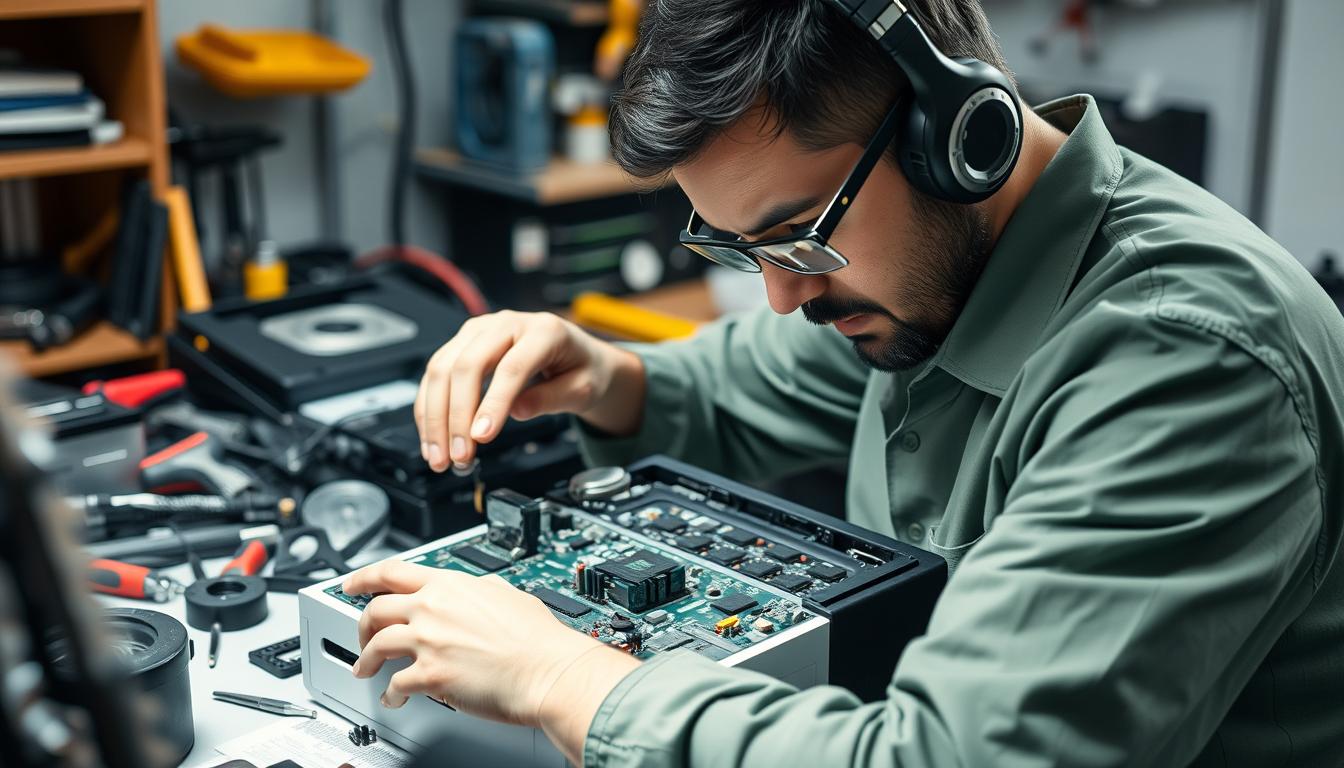
Xbox console on a repair bench during HDMI port diagnosis at Phone Repair & More in Florida
Solder-level HDMI port work — port removed, pads cleaned, new port fitted, tested under load.
  • 9Florida stores
  • 15K+Google reviews
  • 5.0Average rating
  • 2017Independent since

Quick answers

Xbox repair, priced up front.

  • HDMI port repair — $89.99 for Xbox One, One S, One X, Series X and Series S. This is the single most common Xbox fix we do.
  • Joystick drift repair — $35 per controller, covering Xbox One, Elite and Series X|S controllers.
  • Power supply issues — from $49.99, depending on model and board condition.
  • Storage, disc drive and thermal work — hard drive from $59.99, disc drive from $59.99, fan replacement from $29.99, software repair from $39.99.
  • Free diagnostic on every Xbox. We confirm the fault before recommending any repair, and you approve the quote first.
  • Same-day turnaround on most repairs when parts are in stock, across nine Florida stores.

Bench rule: if you smell burning, see liquid residue, or the HDMI port wiggles when you touch the cable — stop. Continuing can turn an $89.99 port fix into far more expensive board damage.

Symptom to cause

What you see, and what it usually means.

This is how we think on the bench. Match the symptom, confirm with safe checks, and stop before damage spreads. A good share of the Xboxes we see have a different root cause than the owner expected — which is exactly why the diagnostic is free and comes first.

Common Xbox symptoms, likely causes and typical repair cost
What you see What it usually means Typical fix Cost
TV says “No Signal,” flickering, or dropouts HDMI port damage — bent pins, a loose port, or lifted pads on the board HDMI port repair (solder-level) $89.99
Dead console — no lights, no chime, no fan spin Power supply failure or a blown fuse on the power delivery circuit Power supply repair or replacement From $49.99
Turns off under heavy game load, fan screams Thermal paste dried out, fan bearing failure, or blocked vents Fan replacement plus thermal re-paste From $29.99 + $69.99 maintenance
Controller drifts, phantom inputs, won’t pair Worn analogue stick module or a pairing/Bluetooth IC failure Joystick module replacement or controller board repair $35
Won’t read discs, grinding noise, eject problems Disc drive laser failure, roller mechanism jam, or eject motor fault Disc drive repair or replacement From $59.99
Games crash, updates fail, “storage error” Failing internal drive, corrupted system partition, or SSD issue Hard drive replacement plus system reinstall From $59.99
Software loops, stuck at the green screen, boot failure Corrupted OS, a failed update, or a NAND storage issue Software repair / system reflash From $39.99
Xbox won’t connect to Wi-Fi, network drops Wi-Fi card failure, antenna disconnection, or a firmware issue Wi-Fi module repair or software fix From $39.99

Two symptoms at once? They often share a single root cause.

Book a Free Diagnostic

The number one Xbox fix

Xbox HDMI port repair — $89.99.

“No Signal” is the most common Xbox complaint we see, and most of the time it is the port rather than the cable or the TV. Here is how we tell the difference before anything is opened.

Telling a cable or TV fault apart from HDMI port damage
Clue Points to cable / TV Points to the HDMI port
New cable + different TV input Fixes it completely Still no signal
Port feel Cable clicks in firmly Cable is loose, wiggles, or slides out
Visual inspection Pins look straight, no damage Bent or missing pins, scorch marks, cracked housing
Intermittent signal Works at a specific cable angle Cuts out randomly regardless of cable position

What the repair actually involves

HDMI port repair is $89.99 for all Xbox models — Xbox One, One S, One X, Series X and Series S. This is a solder-level repair: we remove the damaged port, clean the pads, install a new port, then test under load for stability. It takes roughly 45–90 minutes depending on board condition.

Xbox Series X “No Signal” — specific notes

The Series X HDMI port sits on a denser board than older models. The repair is still $89.99, but the board layout requires more careful disassembly. If your Series X shows a black screen or no signal after a firmware update, try a full power cycle first — some display handshake issues resolve without hardware repair.

Xbox repair cost

Real pricing by repair type.

These are our actual prices, not “call for quote” placeholders. The diagnostic is free on every Xbox, so you know the exact cost before we start any work.

  • HDMI port repair $89.99 All Xbox models · solder-level
  • Joystick drift fix $35 All Xbox controllers
  • Power supply repair From $49.99 Internal PSU or board-level
  • Hard drive replacement From $59.99 HDD/SSD plus system reinstall
  • Disc drive repair From $59.99 Laser, roller, eject mechanism
  • Software repair From $39.99 OS reflash, boot loops, updates
  • Fan replacement From $29.99 Overheating or loud fan
  • General maintenance $69.99 Deep clean plus thermal re-paste
  • Diagnostic Free Every console, every time — no obligation

Pricing by Xbox model

All Xbox models share the same repair rates. The Series S has no disc drive, being all-digital. Everything else is identical across the range.

Xbox repair pricing by model and repair type
Xbox model HDMI port Drift Power Hard drive Disc drive Software Fan Maintenance
Xbox One $89.99$35From $49.99From $59.99From $59.99From $39.99From $29.99$69.99
Xbox One S $89.99$35From $49.99From $59.99From $59.99From $39.99From $29.99$69.99
Xbox One X $89.99$35From $49.99From $59.99From $59.99From $39.99From $29.99$69.99
Xbox Series X $89.99$35From $49.99From $59.99From $59.99From $39.99From $29.99$69.99
Xbox Series S $89.99$35From $49.99From $59.99N/A — digitalFrom $39.99From $29.99$69.99

Board-level damage from liquid exposure or prior bad repairs may require additional work — we quote that during the free diagnostic, before starting. All prices are pre-tax and confirmed after the diagnostic. Check repair pricing for other devices.

Before you bring it in

Three safe checks you can run at home.

Owner-safe steps only — no opening the console, no soldering, no heat guns. If the symptom survives all three, you are past DIY territory and need a verified diagnosis.

  1. Strip to the minimum setup

    Unplug everything except the power cable and one HDMI cable. Remove external hard drives, USB headsets, capture cards and any HDMI splitters. Plug the HDMI directly into your TV — no soundbar passthrough.

    Why this matters: we have seen many “dead Xbox” cases that were actually a faulty USB hub pulling too much power off the bus. A minimum setup eliminates accessory-caused failures instantly.

  2. One correct power cycle

    Hold the Xbox button for 10 full seconds until it shuts off completely. Unplug the power cable from the back of the console, not just the wall. Wait 30 seconds. Plug back in and press the Xbox button once.

    Do this once. If the symptom returns, don’t keep cycling — repeated power-on attempts into a fault condition stress components further. Microsoft’s official power cycle guide covers the same steps.

  3. Swap the easy stuff

    Try a different HDMI cable — not the same one. Try a different TV input port. Try a different wall outlet, not the same power strip. If you have a second controller, test with that one over USB.

    Stop early if: the HDMI port is loose or wobbly, you smell burning, the console shuts down within seconds of powering on, or you see spark marks or discolouration around any port.

Controllers and heat

Two faults people misdiagnose most.

Before you replace a whole console, check the controller — and before you assume the console is failing, look at where it sits. Both save real money.

Controller drift, disconnects and dead buttons

We see this constantly: someone brings in an “Xbox that disconnects randomly” and the problem is a $35 controller fix, not a console fault. Two tests isolate it:

  • Test wired over USB. Plug the controller straight into the console with a known-good cable and play for five minutes. Works wired but drops wireless? The controller’s Bluetooth module is the issue.
  • Swap controllers. If a second controller works fine, the original needs repair. If both fail the same way, the console’s wireless or USB path is the problem.

Joystick drift repair is $35 per controller. We replace the analogue stick module rather than recalibrating it, so the fix is permanent — Xbox One, Elite and Series X|S controllers. Usually done while you wait, in about 30 minutes.

Overheating and shutdown

Heat failures come in two flavours — environmental, which you can fix at home, and mechanical, which needs a bench. The pattern tells you which:

  • Only shuts down in a cabinet or on carpet: blocked airflow. Move it to an open surface and clear the vents. Free.
  • Shuts down 20–40 minutes into heavy games: thermal paste degraded or fan bearing wearing out. Fan replacement from $29.99 plus thermal maintenance at $69.99.
  • Shuts down at the dashboard within minutes: major thermal or power regulation failure. Bring it in for board-level diagnosis immediately.

The Florida factor: across Tampa Bay we see a noticeable rise in thermal shutdowns from May through September. A console in a room without AC, or near a sun-facing window, can be pushed over the edge by ambient temperature alone — especially the One X and Series X, which run hotter by design. Microsoft’s ventilation guidance prevents most heat-related failures.

An honest comparison

What you can do yourself, and what you shouldn’t.

We’re not going to pretend every Xbox problem needs a shop visit. Several of these are genuinely worth trying first.

Xbox repairs: DIY versus professional, with our honest assessment
Task DIY? Professional Our honest take
Cable, TV and outlet swap Yes — always try first Not needed Solves a meaningful share of “No Signal” cases for free
Power cycle Yes — once, correctly Not needed Clears soft-lock states. Don’t repeat if it doesn’t work
External vent cleaning Yes — compressed air, gently Not needed Good preventive maintenance every 3–6 months
HDMI port repair No — micro-soldering required $89.99 Needs a hot-air station, flux and practice. Failed attempts lift pads
Joystick drift repair Maybe — if you have the tools $35 Doable with a cheap kit, but the module swap needs precision
Hard drive swap Maybe — Xbox One only From $59.99 Xbox One HDD is user-accessible. The Series X SSD is not
Power supply repair No — dangerous voltages From $49.99 The internal PSU handles mains voltage. Not a DIY job
Fan replacement Maybe — if you’re comfortable opening the shell From $29.99 Mechanically straightforward, but requires full disassembly
Thermal paste re-application Maybe Included in $69.99 maintenance Requires board removal. Too much paste is as bad as too little

Model by model

What we see on each Xbox.

Same pricing across the range, but the failure patterns differ. Knowing yours speeds up the diagnostic.

Xbox One

The original, 2013

Easiest Xbox to work on internally — larger components, more accessible board layout. The external power brick is the first failure point: if it clicks, or the light is amber or off, try a different brick before assuming the console is dead. HDMI port failures are common after years of cable insertion. HDD replacement is straightforward since it uses a standard 2.5″ SATA drive.

Xbox One S

Internal PSU, cooler running

Moved to an internal power supply, so PSU failures now mean opening the console. Runs cooler than the original thanks to a smaller APU, but the thermal paste still degrades over time. Same HDMI port style and the same $89.99 repair. The slot-loading disc mechanism is more prone to roller failures than the One X.

Xbox One X

The hottest-running Xbox One

We see more thermal shutdown cases on the One X than any other Xbox. The Scorpio engine generates significant heat and the factory cooling solution was only just adequate. Getting shutdowns after 30–40 minutes of 4K gaming? It is almost always thermal paste plus fan bearing wear. HDMI port repair: $89.99.

Xbox Series X

Dense board, vapour chamber

Uses an NVMe SSD that is not easily user-replaceable without specialised tools. HDMI port repair is $89.99 — same as other models, but the board layout demands more careful disassembly. The vapour chamber cooling is effective yet can’t compensate for dust buildup in Florida humidity. We suggest maintenance cleaning every 12–18 months for Series X owners around Tampa Bay.

Xbox Series S

Small shell, hard-working fan

The smaller form factor means tighter internals and less airflow margin, so the fan works harder and bearing wear can appear sooner — usually as a whine or grinding noise. All-digital design means no disc drive issues, but storage is limited, so owners often arrive with external drive compatibility questions that aren’t hardware failures at all. HDMI port repair $89.99; fan replacement from $29.99.

In the shop

What actually happens to your Xbox.

Most “the repair came back broken” stories happen because the shop tested at idle only. A console can boot fine and still fail under load if the thermal work wasn’t done properly. We catch that before you leave.

  1. Intake and symptom capture

    We note the exact symptom, the Xbox model, and what happened before the failure — power surge, drop, liquid, game update. Bring the HDMI cable and controller you were using; we test with your accessories first to rule them out.

  2. Free diagnostic on a controlled bench

    We reproduce the failure with known-good cables, display and power to isolate the exact component. You get told what failed, why, and what it costs before any work starts.

  3. Targeted repair

    We fix the verified fault, not “replace everything and hope.” Precision soldering for HDMI ports. Clean installation and system restoration for drives. New paste, new fan if needed, and vent cleaning for thermal work.

  4. Load testing and stability check

    We test under real game load, not just boot-to-dashboard. Thermal repairs get stress tested to verify stable temps; HDMI repairs get verified across resolutions. You get the console back only when it passes.

Coverage and care

After the repair.

What’s covered, how to keep the console healthy, and how to decide whether fixing it is the right call at all.

Warranty and guarantee

Every Xbox repair includes warranty coverage. The specific term depends on the repair type and part involved:

  • HDMI port repair: covers the port and the solder work — if the same port fails under normal use, we re-repair at no charge.
  • Controller drift repair: covers the replaced analogue stick module.
  • Fan and thermal service: covers the fan component and the thermal application.
  • Power supply and hard drive: covers the replaced component and labour.

Your technician explains the exact terms and duration at pickup. If the same symptom returns within the warranty period, bring it back — we re-diagnose and re-repair at no additional cost.

Still inside Microsoft’s manufacturer warranty? Start with Xbox Support. If you’re out of warranty, or their repair cost is prohibitive, we’re the faster local alternative.

Preventing the next failure

  • Keep vents clear. Six inches of clearance on all sides, minimum. Dust builds faster in Florida’s humid air — clear external vents with compressed air every three months.
  • Avoid heat traps. Not inside a closed entertainment centre, not on carpet, not beside a cable box or another console.
  • Use surge protection. Florida gets more lightning strikes than any other state. A good surge protector prevents random power supply failures — replace it every three to five years.
  • Handle HDMI gently. Don’t let the cable dangle and pull on the port. Route it with slack, not tension. This alone prevents most HDMI port damage.
  • Annual maintenance. A $69.99 deep clean and thermal re-paste every 12–18 months extends console life significantly, especially on the One X and Series X.

Is it worth fixing?

Usually yes, especially when the failure is isolated to one component. This is the framework we use:

Whether to repair or replace an Xbox, by scenario
ScenarioRepair?Why
Single fault — HDMI, fan or drift Repair $35–$89.99 against the cost of a new console. Easy decision
Thermal plus drive plus intermittent power Diagnose first Multiple symptoms may share one root cause — or they may stack. The diagnostic tells you
Severe liquid damage with corrosion Maybe not With several corroded ICs, repair cost can approach replacement cost
Prior bad repair, lifted pads or traces Depends on damage We can often rescue a botched repair, but trace work adds complexity and cost
Xbox 360 or original Xbox Situational Worth it for collector or sentimental value; less so if you just want to game

The free diagnostic removes the guesswork — you get the exact repair cost before committing, with no obligation.

Xbox repair near you

Nine Florida stores, all doing Xbox work.

Free Xbox diagnostic and the same pricing at every location, across Tampa Bay and Central Florida. Walk in or call ahead. Tap a store to load its map.

Store map

Choose a store to load its Google Map here. We only load the map when you ask, to keep this page fast.

View all locations

Verified customer reviews

5.0 from 15,000+ Google reviews.

Live reviews across all nine Florida stores. Read all reviews.

Trustindex widget slot — paste the live Google reviews embed here. Remove this paragraph when the widget is in place.

Xbox repair FAQs

Everything people ask at the counter.

How much does Xbox repair cost?

Xbox repair costs $35–$89.99 for most common fixes. HDMI port repair is $89.99. Joystick drift is $35. Power supply repair starts at $49.99. Hard drive replacement starts at $59.99. Disc drive repair starts at $59.99. Fan replacement starts at $29.99. Software repair starts at $39.99. General maintenance — deep clean plus thermal re-paste — is $69.99. The diagnostic is always free.

Can an Xbox One be repaired?

Yes. Xbox One, One S and One X are all repairable for the common failures: HDMI port damage ($89.99), power supply issues (from $49.99), hard drive failure (from $59.99), disc drive problems (from $59.99), fan and overheating problems (from $29.99), and joystick drift ($35). The Xbox One is actually the easiest Xbox to repair thanks to its accessible internal layout.

Can you fix Xbox Series X?

Yes. We repair Xbox Series X for HDMI port issues ($89.99), power problems (from $49.99), thermal and fan failures (from $29.99), storage errors (from $59.99), disc drive issues (from $59.99) and software problems (from $39.99). The Series X uses a vapour chamber cooling system and an NVMe SSD, so some repairs need specialised tools — but the pricing is the same as other Xbox models.

Is “No Signal” always an HDMI port problem on Xbox?

Not always. Most of the time it is the port, but a meaningful share of cases turn out to be a bad HDMI cable, and others are TV input or settings issues. Always try a new cable and a different TV input first. If the HDMI port feels loose or the pins look bent, that is a strong sign you need an HDMI port repair ($89.99). A smaller number of cases are GPU-related and need board-level diagnosis.

How long does Xbox repair take?

Most Xbox repairs are completed same-day when parts are in stock. HDMI port repair takes about 45–90 minutes. Joystick drift takes about 30 minutes. Fan replacement takes about 30–45 minutes. Hard drive replacement takes one to two hours including system reinstall. Intermittent thermal or power issues take longer, because we need to reproduce the fault under load both before and after repair to verify stability.

Do you fix Xbox controllers?

Yes. We fix joystick drift ($35), unresponsive buttons, trigger problems and Bluetooth or pairing failures on Xbox One controllers, Xbox Elite controllers and Xbox Series X|S controllers. We replace the analogue stick module rather than software-recalibrating it, so the drift fix is permanent.

Is it worth repairing an old Xbox One?

For a single-component failure like an HDMI port ($89.99) or a fan (from $29.99), yes — repairing is significantly cheaper than buying a replacement console. If the Xbox One has multiple stacking failures or severe liquid or electrical damage, it may make more sense to put that money toward a newer console. The free diagnostic gives you the exact cost so you can decide.

Where can I get my Xbox repaired in Florida?

Phone Repair & More has nine Florida stores that repair Xbox consoles: Tampa (Town ’n’ Country), Tampa (Carrollwood), St. Petersburg, Wesley Chapel, Palm Harbor, Land O’ Lakes, Zephyrhills, Spring Hill and Davenport. Every location offers free Xbox diagnostics, same-day repair on most issues and identical pricing. Walk-ins are welcome, or you can book online. Full addresses and phone numbers are listed above.

Does Xbox offer official repair service?

Yes — Microsoft offers official Xbox repair through Xbox Support. If your console is under warranty, start there. If you are out of warranty, local repair is typically faster — same-day rather than shipping and waiting — and often more affordable. With us, HDMI port repair is $89.99 with a free diagnostic, and your console stays local the whole time.

What should I do before bringing my Xbox in for repair?

Bring the console, the HDMI cable you were using, the power cable and the controller. Sign out of your Microsoft account if you can (Settings → Account → Remove accounts). Note when the problem started and what triggered it — an update, a power surge, a drop, liquid. Don’t factory reset: we may need to reproduce the fault in its current state to diagnose it accurately.

Why won’t my Xbox turn on?

An Xbox that won’t power on at all — no lights, no chime, no fan spin — is usually a power supply failure. On the original Xbox One with its external power brick, try a different brick first. On One S, One X, Series X and Series S with internal supplies, try a different outlet and make sure the power cable is firmly seated. If it still won’t turn on, bring it in — power supply repair starts at $49.99 with a free diagnostic.

How do I fix Xbox Series X HDMI issues?

Start with a different HDMI cable and a different TV input. If no signal persists, inspect the HDMI port for a loose fit or bent pins. The Series X HDMI port sits on a dense board and needs precision micro-soldering to replace — this is not a DIY repair. We do it for $89.99 with same-day turnaround in most cases. If the issue started after a software update, try a full power cycle first, since some display handshake issues are firmware-related.

How do I fix Xbox Series X power supply issues?

The Series X uses an internal power supply. If the console won’t turn on, try a different wall outlet (skip the power strip), check the power cable is firmly connected, and do one full power cycle — unplugged for 30 seconds. If it still won’t power on, the internal PSU or a board-level power component may have failed. Repair starts at $49.99 once the free diagnostic confirms the cause.

How do I fix an Xbox controller that keeps disconnecting?

First, test the controller wired over USB — if it works wired but not wireless, the Bluetooth module in the controller is failing. Update the controller firmware through the Xbox Accessories app. If disconnects happen with multiple controllers, the console’s wireless radio may be the issue. Controller repairs are $35; a failing console wireless module is diagnosed during our free bench test.

How do I fix Xbox Series X boot issues?

If your Series X is stuck at the green Xbox screen, try the Xbox Startup Troubleshooter: hold Bind and Eject while pressing Power, then wait for two beeps. From there you can reset the OS while keeping games. If that doesn’t work, the issue may be a failing SSD or corrupted NAND. Software repair starts at $39.99; SSD replacement starts at $59.99.

How do I clean an Xbox One or Series X?

For external cleaning, blow dust from the vents with compressed air every three months — don’t use a vacuum directly on the vents. Wipe the exterior with a dry microfibre cloth. Internal deep cleaning, meaning dust removal from the fan, heatsink and board, requires opening the console: our $69.99 general maintenance covers deep clean, thermal paste replacement and vent clearing. We recommend it every 12–18 months, especially in Florida’s humid environment.

Can you fix Xbox stick drift?

Yes. Xbox controller stick drift is caused by a worn analogue stick module. We replace the module entirely rather than recalibrating, for $35 per controller. This covers Xbox One, Xbox One Elite, Xbox Series X and Xbox Series S controllers. The repair is usually done while you wait, typically in about 30 minutes.

Do you offer a warranty on Xbox repairs?

Yes — every Xbox repair includes warranty coverage. The specific term depends on the repair type and part involved. If the same symptom returns within the warranty period, bring it back and we’ll re-diagnose and re-repair at no additional cost. Your technician explains the exact terms at pickup.

Free diagnostic · You approve the quote first

Get your Xbox fixed properly.

Bring the console and the cables you were using. We confirm the failure, quote the exact cost, and fix it so it stays fixed. No obligation on the diagnostic.

Xbox, Xbox One, Xbox Series X|S, Xbox Elite and the Xbox logo are trademarks of Microsoft Corporation. Phone Repair & More® is an independent, third-party repair service and is not affiliated with, endorsed by or authorized by Microsoft Corporation, Sony Interactive Entertainment, Nintendo Co., Ltd., Valve Corporation, ASUSTeK Computer Inc. or Apple Inc. All product names, logos and brands are the property of their respective owners and are used here for identification purposes only.

Prices shown are pre-tax, apply to standard repairs and are confirmed after the free diagnostic. Board-level damage may require additional work, quoted before starting.