
USB-C port & charging
The most common Switch repair, and a direct consequence of docking.
- Won't charge, or charges only at a certain angle
- Port feels loose or wobbles under the cable
- Docking works intermittently or not at all
$69.99
5.0 from 15,000+ Google reviews Free diagnostics • 8 Florida stores • Many repairs same day
Check repair pricingJoy-Con drift, a charging port that only works at an angle, a battery that dies in two hours, or a dock that suddenly shows no signal. These are the four faults we see every week, and all four are repairable on all three models.
Free diagnostic, a clear quote you approve first, and a warranty of up to 90 days.
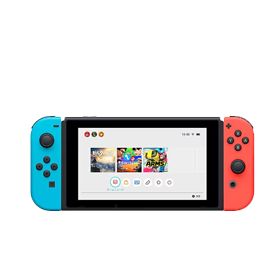
The USB-C port is soldered to the board — replacing it is precision work, not a swap.
Model changes the answer
Most repair sites treat all three models as one device. They aren't. The Lite has no dock and no detachable Joy-Cons; the OLED uses a different panel entirely. That changes what's possible and what it costs.
Every combination above is also written out in the sections below, so you can read the whole thing without clicking. Prices marked "quoted after diagnostic" are ones where the part varies enough by model and severity that a single number would be misleading — the diagnostic that produces the real number is free either way.
Published pricing
Same price across Switch, Switch Lite and Switch OLED for the published items. Everything is confirmed after the free diagnostic, and you approve before any work starts.
| Repair | Price | What it covers |
|---|---|---|
| Diagnostic | Free | Any symptom, any model. We test, diagnose and explain the options with no obligation. |
| Joy-Con drift repair | From $35 | Analog stick module repair or replacement, plus calibration, pairing and rail connection faults. |
| General maintenance | $49.99 | Fan cleaning, fresh thermal paste, internal deep clean and airflow service. |
| USB-C port repair | $69.99 | Won't charge, charges only at an angle, loose port, docking faults. Same price on all three models. |
| Charging IC repair | $89.99 | Board-level charging circuit failure where the port itself tests good. |
| Battery replacement | Quoted after diagnostic | Cells differ between Switch, Lite and OLED. We test battery health first, then quote the correct part. |
| Screen & display repair | Quoted after diagnostic | Panels differ substantially across the three models — the OLED panel is not interchangeable with the LCD units. |
| Dock & HDMI output | Quoted after diagnostic | We test the dock path and console output separately, because the fault is often the dock rather than the console. |
| Liquid damage recovery | Free assessment, then quoted | Corrosion cleaning and board assessment. We tell you what's salvageable before you spend anything. |
| Game card & SD slot | Quoted after diagnostic | Reader testing, bent-pin inspection and slot replacement where needed. |
For context, a replacement Switch runs several hundred dollars — which is why a $69.99 port repair or a $35 stick module is almost always the better call on a console that's otherwise healthy. Comparing across devices? Use the repair cost calculator.
Nintendo Switch problems we fix
Knowing which one you have changes what to do next — and in three cases, changes whether you should keep using the console at all.
The most common Switch repair, and a direct consequence of docking.
$69.99
Mechanical wear in the stick module. Calibration is a delay, not a fix.
From $35
Often the dock, not the console — which is a much cheaper outcome.
Quoted after diagnostic
Handheld play time is the first thing to go, and it goes gradually.
Quoted after diagnostic
Three models, three different panels. We carry all three.
Quoted after diagnostic
Dust and dried thermal paste. Cheap to fix, expensive to ignore.
$49.99
Could be software, could be power delivery. Testing separates them.
Quoted after diagnostic
Corrosion keeps working after everything looks dry. Time matters.
Free assessment
Usually a bent pin or a worn reader, both fixable.
Quoted after diagnostic
Three faults where you should stop using it now: any battery swelling, any liquid exposure (even if it "dried"), and repeated thermal shutdowns. In all three the damage compounds with every power-on. Everything else on this list can safely wait until you can get to a store.
Nintendo Switch battery replacement
Battery is the most-asked question we get about the Switch and the one the old version of this page answered least. Here is the full picture.
Every full charge and discharge is a cycle, and a Switch battery has a finite number of them. A console used daily in handheld mode ages considerably faster than one that mostly lives in the dock. Heat accelerates it, which is why an overheating Switch often arrives with a tired battery too.
A console that dies quickly can be a worn cell, a charging fault that never fully fills it, or a power-management issue. Replacing the battery on a charging-IC fault fixes nothing and costs you money. We test battery health and the charging path before quoting.
If the battery is swelling, stop now. On a Switch that shows as a lifting screen, a back cover that no longer sits flush, or a console that has started to rock on a flat surface. A swollen lithium cell is under pressure and can crack the screen from beneath. Power it down, stop charging it, and bring it in.
Battery pricing is quoted after the free diagnostic because the cell differs between Switch, Switch Lite and Switch OLED, and because we won't quote a battery before confirming the battery is actually the fault.
Joy-Con drift
Drift is mechanical. The analog stick uses contact pads that wear with use, and once they've worn, software calibration is compensating for a physical problem.
System Settings, then Controllers and Sensors, then Calibrate Control Sticks. If the drift disappears and stays gone for weeks, it was a calibration issue and you've saved yourself a repair. If it returns within days, the module is worn.
On the original Switch and OLED, Joy-Cons attach by rail. A loose rail or a failing connector produces symptoms that look like drift but aren't. Re-pair the controller and check whether the fault follows the Joy-Con to the other side.
If drift survives calibration, the analog module needs work. That's a from $35 repair and is frequently completed the same day. On a Switch Lite the sticks are built into the console body rather than a detachable controller, so the work is different — but it is still repairable.
Worth knowing: drift on a Switch Lite is not a reason to replace the console. Because the controls are integrated, some owners assume a drifting Lite is scrap. It isn't — the stick module is still a serviceable part.
Switch vs Lite vs OLED
We service all three. What changes between them is which faults are even possible and which parts are interchangeable — which is worth knowing before you're quoted.
Detachable Joy-Cons, LCD screen, docks for TV output. The most repair-flexible of the three.
Handheld only, integrated controls, smaller LCD. No dock, so a whole category of faults simply doesn't apply.
Larger OLED panel, revised stand, wired LAN in the dock. The panel is the key difference for repair.
Not sure which you have? The model number is printed on the underside of the console. Identifying it is part of the free diagnostic and takes a few seconds.
Before you visit
Software steps and external tests only. No tools, no opening the console. If a step would need a screwdriver, a soldering iron or a heat gun, it isn't on this list.
| Symptom | Safe check (no opening) | Stop point — bring it in |
|---|---|---|
| Won't turn on / black screen | One clean power cycle. Charge with a known-good adapter for 30 minutes. Remove accessories. | Burning smell, swelling, liquid exposure, or the console gets extremely hot. |
| Won't hold a charge | Swap the cable and adapter. Try a wall outlet rather than the dock. Check the port for lint using a wooden or plastic pick. | Port is loose, the charging area gets hot, or the battery drops in sudden jumps. |
| Dock / HDMI no signal | Confirm the TV input. Reseat the HDMI cable. Power-cycle the dock. Try a different cable and TV port. | Still no output after a known-good HDMI cable and a clean dock reset. |
| Joy-Con drift | Re-pair the controller. Update firmware. Calibrate the sticks in System Settings. | Drift returns within days of calibration, or the rails feel loose. |
| Overheating / loud fan | Open up the airflow. Remove any case. Close demanding games. Check the vents for blockage. | Overheat warnings repeat, the fan screams, or shutdowns continue. |
The line we use on the bench: if continuing to test can cause heat, shorting or physical stress, stop. That is how a repairable console becomes a replacement-only one. Stop immediately for swelling or chemical smell, liquid exposure even if it dried, burning smell or spark marks, a USB-C area that gets unusually hot, repeated overheating shutdowns, or shattered glass with sharp edges.
The question before the repair
Both are legitimate routes and the right answer depends entirely on your warranty status. Here's the honest version, including when we're not the answer.
If the console is in warranty and the fault is a covered defect, a Nintendo service request should cost you nothing. Set one up through Nintendo's support site — you'll need your Nintendo account, the model number and proof of purchase. Their consumer service line is 1-800-255-3700.
Check Nintendo's current out-of-warranty pricing and turnaround with them directly — we don't publish their figures because we can't verify them for you.
Liquid damage and accidental damage are typically outside manufacturer coverage, and those are exactly the cases where an independent shop earns its place. You get a published price where one exists, a free diagnostic where it doesn't, and you keep the console until the work is approved.
How Switch repair works
Bring the console and its charger. If the fault involves the dock or TV output, bring the dock and HDMI cable too — ruling the dock out often ends the visit right there.
Drop off at any store or book online first. Tell us the model, the symptom and anything that changed recently.
We reproduce the fault and test the charging path, battery health, display, controls and thermals. No charge, whatever we find.
You get the cause, the price and a timeline before any work begins. Nothing proceeds until you approve it.
We complete the work, test it properly — run-time for batteries, stick response for drift, docking for port work — and hand it back with your warranty documentation.
Warranty: completed Nintendo Switch repairs carry a warranty of up to 90 days. The exact term depends on the repair type and the part used — a USB-C port replacement and a general maintenance service are not covered on identical terms. Your technician confirms the applicable warranty in writing at pickup.
Real customer feedback
Pulled live from Google. Nothing on this page is written by us on a customer's behalf.
Nintendo Switch repair FAQ
Direct answers. If yours isn't here, call your nearest store — we'd rather answer it than have you guess.
Joy-Con drift repair starts at $35, general maintenance is $49.99, USB-C charging port repair is $69.99, and charging IC repair is $89.99. Those prices are the same across Switch, Switch Lite and Switch OLED. Battery, screen, dock and game-card repairs are quoted after the free diagnostic, because the parts differ enough by model and severity that a single number would mislead you. The diagnostic is always free and you approve the price before any work starts.
Free diagnostic · No obligation
Book online in a couple of minutes or walk into any Phone Repair & More store. Bring the charger, and the dock too if the fault involves your TV.