
Console appears powered but no picture
That belongs in the video-output diagnostic rather than the no-power path.
5.0 from 15,000+ Google reviews Free diagnostics • 8 Florida stores • Many repairs same day
Check repair pricingPRM Repair Intelligence · Diagnostic Guide
If your PS5 won’t turn on, first determine whether the console truly has a no-power symptom or whether it is powering on without producing a picture.

A useful diagnosis begins by describing exactly what the console does.
“Won’t turn on” can mean several different things to different users:
Those symptoms should not all be treated as the same problem.
This guide specifically owns the no-power / failure-to-start path.
That belongs in the video-output diagnostic rather than the no-power path.
That belongs in the shutdown-under-load diagnostic.
Start with the thermal and airflow diagnostic.
The frozen PRM-PS5-DATASET-v1.0 contains N = 1,118 qualifying PS5 console service tickets.
Within that sample, 102 records — 9.12% — were normalized under Power / No Power / Shutdown.
| Operational subgroup | Records |
|---|---|
| No power / won’t turn on | 63 |
| Power supply | 18 |
| Generic power / cable-power issue | 8 |
| Shutdown / turn-off behavior | 13 |
| Total Power / Shutdown | 102 |
Evidence boundary: The PRM data supports the statement that 102 qualifying tickets were categorized under the broader Power/Shutdown operational repair group and that 63 were specifically normalized under no-power/won’t-turn-on wording.
It does not establish that all 63 had the same failed component, and it does not establish a population-wide PS5 no-power failure rate.
Level A — PRM operational repair dataOperational labels such as No Power, Power supply, or other power wording describe how the service ticket was categorized. They are not automatically interchangeable with a confirmed board-level root cause.


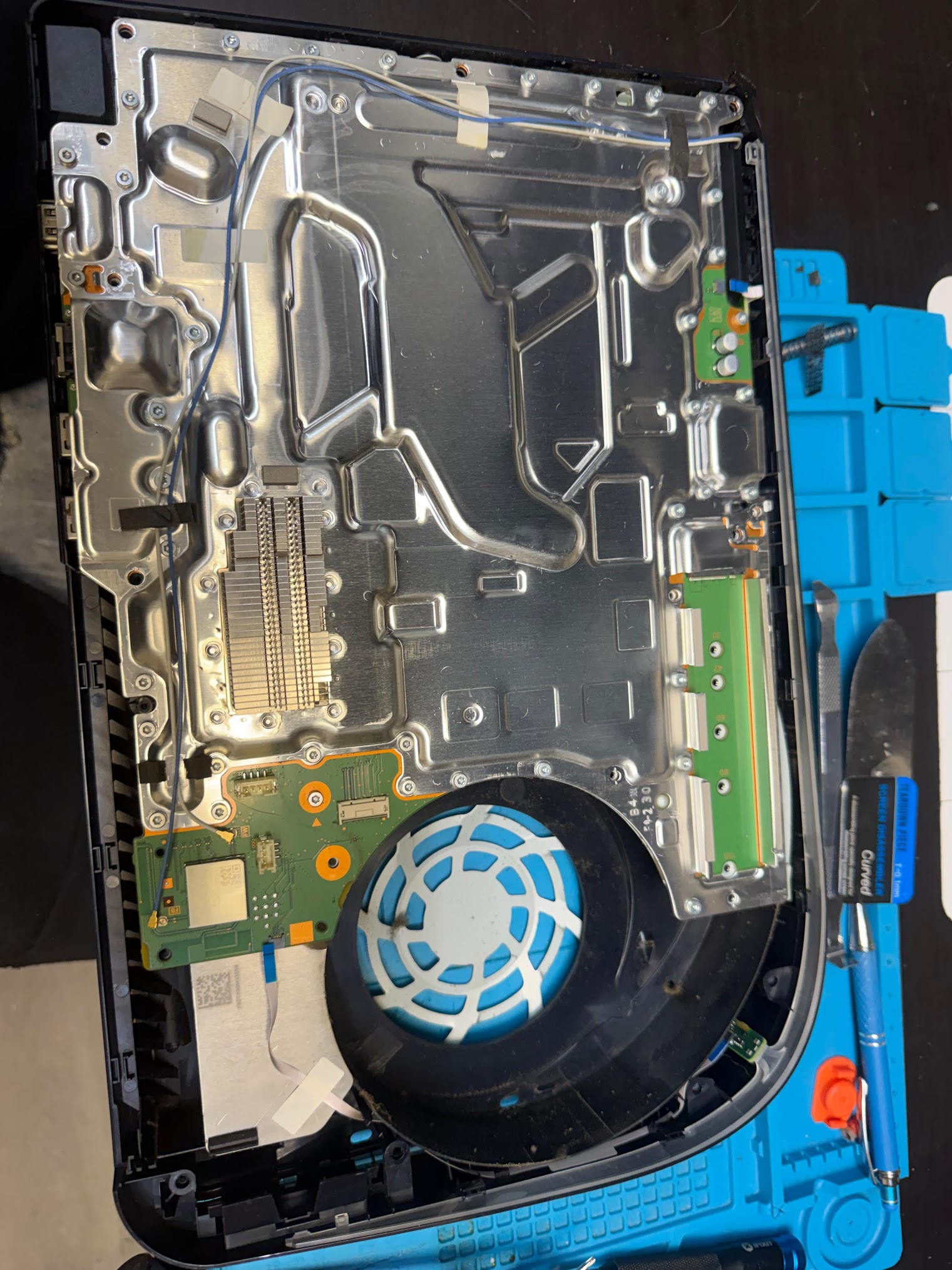
PRM separately analyzed 163 unique PS5 website appointment records.
These are customer-reported symptoms, not confirmed diagnoses.
Anonymized paraphrases included situations where:
These reports do not establish whether the underlying cause was the power cable, AC source, internal power delivery, power supply, motherboard, system startup or another component.
Customer language identifies the symptom. Diagnosis identifies the cause.
A black television screen does not necessarily mean the console itself failed to power on.
| Observation | Correct starting path | What not to assume |
|---|---|---|
| No normal light or power response | No-power troubleshooting | HDMI failure |
| Console appears powered but TV says No Signal | Video-output troubleshooting | Power-supply failure |
| White power indicator but no image | No Signal diagnostic | Console has no power |
| Brief startup then immediate power loss | Power/startup diagnosis | Simple display issue |
| Console works for a while, then shuts off in games | Shutdown-under-load diagnostic | Same as no-power-at-startup |
Move from simple external checks toward diagnosis without opening the console or assuming the failed component.
PlayStation says a PS5 can be powered on either by pressing the PS button on a paired controller or by pressing the power button on the console. When the PS5 is on normally, the power indicator lights white.
Testing the console-side button helps separate a console-power symptom from a controller pairing or controller-power problem.
If the physical console button works but the controller does not start the PS5, the symptom is no longer simply “the console won't power on.”
The behavior of the console matters.
PlayStation states that when the PS5 is on, the power indicator is white. When shutting down normally, the screen goes blank, the indicator flashes white, and then turns off.
That makes a completely unresponsive console meaningfully different from one that lights briefly, continues blinking, powers normally or begins a shutdown sequence.
Do not diagnose the failed component from the light pattern alone, but record what happens.
Primary source: PlayStation power states and AC-power safety →Check that the PS5 power cable is seated normally at the console and at the AC source.
If you have an appropriate known-working replacement cable, PlayStation's Safe Mode troubleshooting guidance specifically includes trying another power cable when the console cannot start Safe Mode.
Do not force a damaged connector or use an obviously compromised cable.
If changing the cable resolves the problem consistently, that is relevant evidence before assuming an internal console failure.
Primary source: PlayStation Safe Mode startup troubleshooting →If practical, confirm that the outlet or power source is functioning using an appropriate known-working device.
The goal is only to eliminate an obvious external power-source problem.
Do not dismantle outlets, power strips, surge protectors or the PS5 itself as part of basic troubleshooting.
If the symptom began after lightning, a surge, water exposure, burning smell, visible electrical damage or another abnormal electrical event, stop repeated power-on attempts and move toward professional inspection.
PlayStation warns against disconnecting AC power while the PS5 power indicator is lit or blinking.
Sony states that doing so can cause data loss, corruption or damage to the console.
If the console is in a normal powered or shutdown state, let it complete the shutdown process before removing power.
This safety rule is different from manufacturer-directed power cycling performed after the console has been turned off.
Primary source: PlayStation AC-power safety guidance →A PS5 that reacts to the power button but loses power shortly afterward is not identical to a console with zero power response.
PlayStation separates:
That distinction should be preserved during diagnosis.
If the console starts but cannot remain powered long enough to reach normal operation, professional assessment may be more useful than repeatedly attempting startup.
If it stays on until gameplay begins and then shuts down, use PS5 Shuts Off While Gaming.
Primary source: PlayStation PS5 power troubleshooting →Sometimes—but only if the console can power far enough to enter Safe Mode.
PlayStation describes Safe Mode as a troubleshooting environment that starts the console with basic functions active. To start it, PlayStation currently instructs users to turn the console off, then hold the power button again and release after the second beep, which occurs about seven seconds after the first. A controller is then connected by USB.
Primary source: PlayStation Safe Mode →Safe Mode gives you additional information: the console is at least capable of entering Sony's recovery environment.
Relevant PS5 Safe Mode options include:
PlayStation says Repair Console Storage does not erase data, while Reset PS5 and Reset PS5 (Reinstall System Software) delete user data.
PlayStation says an inability to start Safe Mode can involve the USB, HDMI or power cable. Its current troubleshooting guide recommends testing another appropriate cable and, if Safe Mode still will not start, power-cycling the console.
If Safe Mode remains inaccessible, PlayStation directs users to its repair diagnostic pathway.
Primary source: PlayStation cannot-start-Safe-Mode troubleshooting →Power cycling should follow manufacturer guidance rather than repeatedly pulling power from a running console.
For Safe Mode startup problems, PlayStation currently instructs users to:
This procedure should not be confused with unplugging a PS5 while its indicator is still lit or blinking.
PlayStation's general power guidance explicitly warns against removing AC power while the indicator is active.
Primary source: PlayStation Safe Mode startup troubleshooting → Primary source: PlayStation AC-power safety →A report of no light, no beep and no apparent response to the physical console power button is a stronger no-power symptom than “the screen stays black.”
PRM's Level B appointment evidence contains customer descriptions of this kind.
It still does not identify the failed component.
After safe external power and cable checks, a console with no normal response is appropriate for professional diagnosis because resolving the symptom may require determining whether power is reaching and being distributed inside the console correctly.
Do not open the PS5 simply because there is no response.
Not automatically.
The frozen PRM dataset contains:
Those are separate operational subgroups.
The fact that only some power-category records were specifically labeled Power supply is one reason this guide should not treat every no-power symptom as a confirmed power-supply diagnosis.
A no-power symptom can justify investigating power delivery. It does not, by itself, identify which internal component requires repair.
PRM's Level B appointment notes include customer reports in which a PS5 stopped powering after a storm or lightning-related event.
Those reports are not confirmed diagnoses.
If the symptom follows an unusual electrical event, avoid repeatedly cycling power in an attempt to make the console start.
Professional diagnosis is more appropriate when:
A reported storm or surge is contextual evidence, not proof of which component failed.
That is no longer a pure no-power problem.
If the console appears to power normally but there is no picture, the next diagnostic path should focus on video output.
This avoids a common diagnostic mistake: treating “I can't see anything” as equivalent to “the console has no power.”
A console that starts normally and later loses power during gameplay belongs primarily to a different symptom cluster.
The frozen Level A Power/Shutdown group contains 13 shutdown/turn-off records, and PRM's Level B appointment analysis contains 6 customer reports describing shutdown during or after gaming.
Those observations should not be mixed into the no-power-at-startup diagnosis.
If the shutdown is accompanied by heat-related symptoms:
Consider professional diagnosis when:
PlayStation's official PS5 power page directs users with “won't turn on” and other unresolved power conditions into its PlayStation Repairs diagnostic tool.
Primary source: PlayStation PS5 power troubleshooting →For independent professional service:
The parent research sample contains N = 1,118 qualifying PS5 console service tickets.
Within it, 102 tickets (9.12%) were normalized under Power / No Power / Shutdown.
The frozen subgroups are 63 no-power/won’t-turn-on, 18 power-supply, 8 generic power/cable-power, and 13 shutdown/turn-off.
PRM separately analyzed 163 unique PS5 appointment records.
7 contained no-power wording.
These are customer descriptions before diagnosis and are not converted into confirmed Level A causes.
PlayStation/Sony sources are used for current manufacturer troubleshooting, Safe Mode, power-state and AC-power safety guidance.
They do not validate PRM's proprietary statistics.
This page uses repair records to describe what was operationally recorded and appointment notes to describe what customers reported.
No-power symptom ≠ confirmed power-supply failure.
The 102-record parent category includes no power, power-supply, generic power and shutdown wording. These records should not all be treated as one electronic failure mechanism.
Only a subset of the frozen operational records was explicitly categorized as Power supply. A symptom such as “won't turn on” cannot retrospectively be converted into a confirmed internal component diagnosis.
The seven appointment records describe what customers observed. They may include assumptions about cables, outlets, storms or internal faults that were not confirmed at intake.
The frozen research unit is the service ticket. Explicit warranty/rework tickets were removed from the primary sample, but unidentified repeat visits may still exist where physical-device identity is incomplete.
The dataset does not represent all historical PRM PS5 work or all PS5 consoles in the United States or globally.
The 9.12% Power/Shutdown figure is a repair-category frequency within N=1,118, not a PS5 population failure rate.
This guide does not combine shutdown, overheating and no-power into one diagnosis. Those symptoms can overlap in real customer language but have different intent ownership in the PRM research cluster.
This page remains specifically focused on won't turn on / no power.
If the console shows no normal power response, start by testing the physical console power button, confirming the power connection and observing whether there is any light, beep or startup behavior.
PlayStation treats “PS5 console won't turn on” as a dedicated power condition and directs unresolved cases through its repair diagnostic pathway.
First identify the symptom precisely.
A console that never powers normally belongs here. A console that powers on but has no picture belongs in the No Signal diagnostic, while a PS5 that turns off during games belongs in the shutdown diagnostic.
For true no-power symptoms, use manufacturer-supported cable, power-state and Safe Mode checks before assuming an internal component failure.
PlayStation says a PS5 can be started using either a paired controller's PS button or the physical console power button.
If the console button starts the PS5 but the controller does not, the symptom may involve the controller's power or pairing state rather than the console being completely unable to power on.
Use this sequence: try the physical console power button, observe any light or beep, confirm the power connection, test an appropriate known-working power cable if available, avoid removing AC power while the indicator is active, and try Safe Mode only if the console responds enough to enter it.
If the console remains unresponsive after those checks, professional diagnosis is appropriate.
No. In PRM's frozen operational data, 63 records were categorized around no power/won't turn on, while 18 were specifically categorized as Power supply.
Those figures show why the symptom and the component diagnosis should remain separate.
If the console can enter Safe Mode, it provides a manufacturer-supported recovery environment.
PlayStation documents options such as Restart PS5, Repair Console Storage, Update System Software, Restore Default Settings and Clear Cache/Rebuild Database. Some reset options erase user data, so destructive options should not be chosen casually.
That is different from a PS5 that never powers on. PlayStation lists “loses power shortly after turning on” and “turns off while playing” separately from “won't turn on.”
If shutdown happens primarily during gameplay, use PS5 Shuts Off While Gaming.
If the console appears powered but the display has no signal or image, use the video-output diagnostic rather than assuming no power.
If a PS5 has no normal power response, start with the symptom rather than a component diagnosis.
PRM's selected operational data contains 63 no-power/won’t-turn-on records inside the broader 102-record Power/Shutdown category, while only 18 records were specifically categorized as Power supply.
That difference is why safe external power checks, accurate symptom routing and diagnosis should come before assuming the power supply or another internal component has failed.
PRM-PS5-DATASET-v1.0
Frozen selected PS5 operational repair sample, N=1,118. Evidence Level A.
PRM PS5 appointment symptom analysis
163 unique selected PS5 appointment records. Evidence Level B.
PRM original evidence supports the proprietary findings on this page. PlayStation sources provide manufacturer guidance only.