5.0 from 15,000+ Google reviews Free diagnostics • 8 Florida stores • Many repairs same day

Check repair pricing

PRM Repair Intelligence · Diagnostic Guide

Computer Overheating? Separate Normal Heat From Airflow, Fan and Thermal Problems

A warm laptop or computer is not automatically overheating. Heavy CPU/GPU workloads naturally increase heat and fan speed.

The warning pattern is persistent excess heat, abnormal fan behavior, early throttling, lockups or shutdowns—especially during light use.
58Thermal / fan / cleaning repair records
2.7%Share of the selected 2,142-record sample
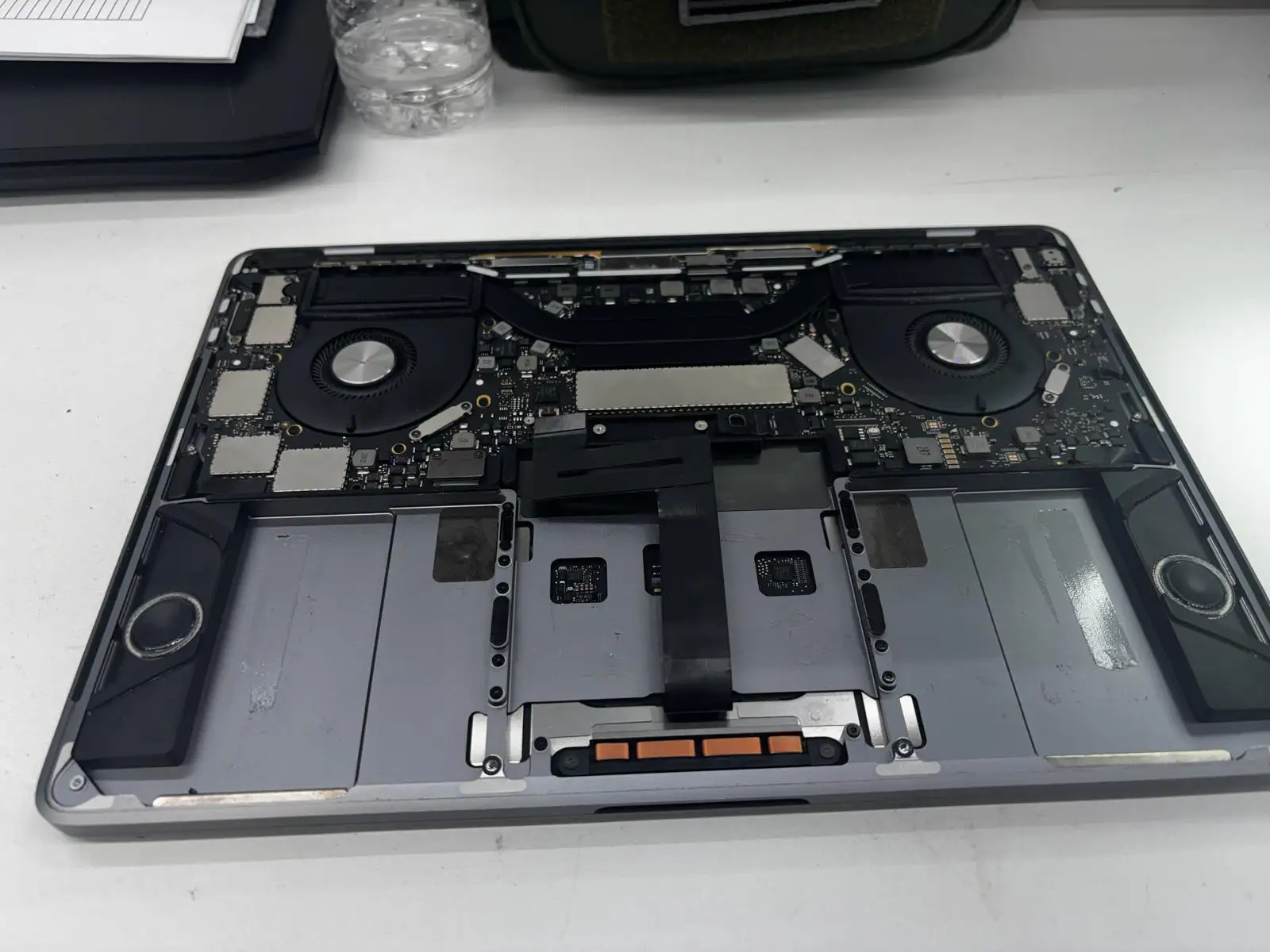
PRM repair photoComputer cooling system opened during repair
Computer cooling system opened for overheating diagnosis and repair at Phone Repair & More
Computer cooling system opened during repair at Phone Repair & More®.
PublicationComputer Overheating
TypeDiagnostic Guide
CollectionLaptop & Computer Research
EvidencePRM repair records + manufacturer sources
Main topicHot · loud fan · throttling · thermal shutdown
UpdatedSeptember 2026

Start here

When does the computer get hot?

Only under heavy load

Gaming, rendering, updates and video work can create normal heat and higher fan speed.

Hot while idle

High CPU/process load, airflow problems or cooling-system issues become more relevant.

Fan loud or grinding

Rushing-air noise can be normal; rattling/grinding or a failed fan test is more concerning.

Heat + shutdown/lockup

Heat becomes more important when shutdowns happen alongside high temperature. If the computer shuts down without feeling hot, power or battery checks may be more useful.

PRM repair-record evidence

Thermal / fan / cleaning is a defined repair-record category

58

Thermal / fan / cleaning

2.7% of the selected 2,142-record all-computer repair-record sample.

What that number does not mean

It is not a population-wide overheating rate and does not mean all 58 records share the same failed fan, thermal material or root cause.

“Based on a selected sample of real repair records from Phone Repair & More’s internal operational data.”

“These figures describe the distribution of service categories within the selected Phone Repair & More repair-record sample. They are not product-wide failure rates, defect rates, reliability estimates, or probabilities that any laptop or computer model will experience a given problem. The sample consists only of devices that entered PRM’s service workflow and may reflect PRM’s locations, customer mix, services offered, record-keeping practices, and the period analyzed.”

“Percentages use the stated PRM sample denominator only and should not be generalized to the installed population of laptops or computers.”

Safe checks

Four checks before opening the computer

1

Use a hard, open surface

Move the laptop off bedding, carpet or soft surfaces that can block vents.

2

Check workload

Use Task Manager or Activity Monitor to identify sustained CPU load when the computer should be idle.

3

Observe the fan

Note whether the fan spins, changes speed, grinds/rattles or remains maxed out at idle.

4

Run diagnostics

Use manufacturer fan/thermal diagnostics where available before parts replacement.

Airflow & dust

Blocked vents and cooling fins can make fans work harder

External airflow

Dell and Apple both advise using laptops on hard, stable surfaces that allow ventilation rather than beds, pillows or other soft surfaces.

Internal dust

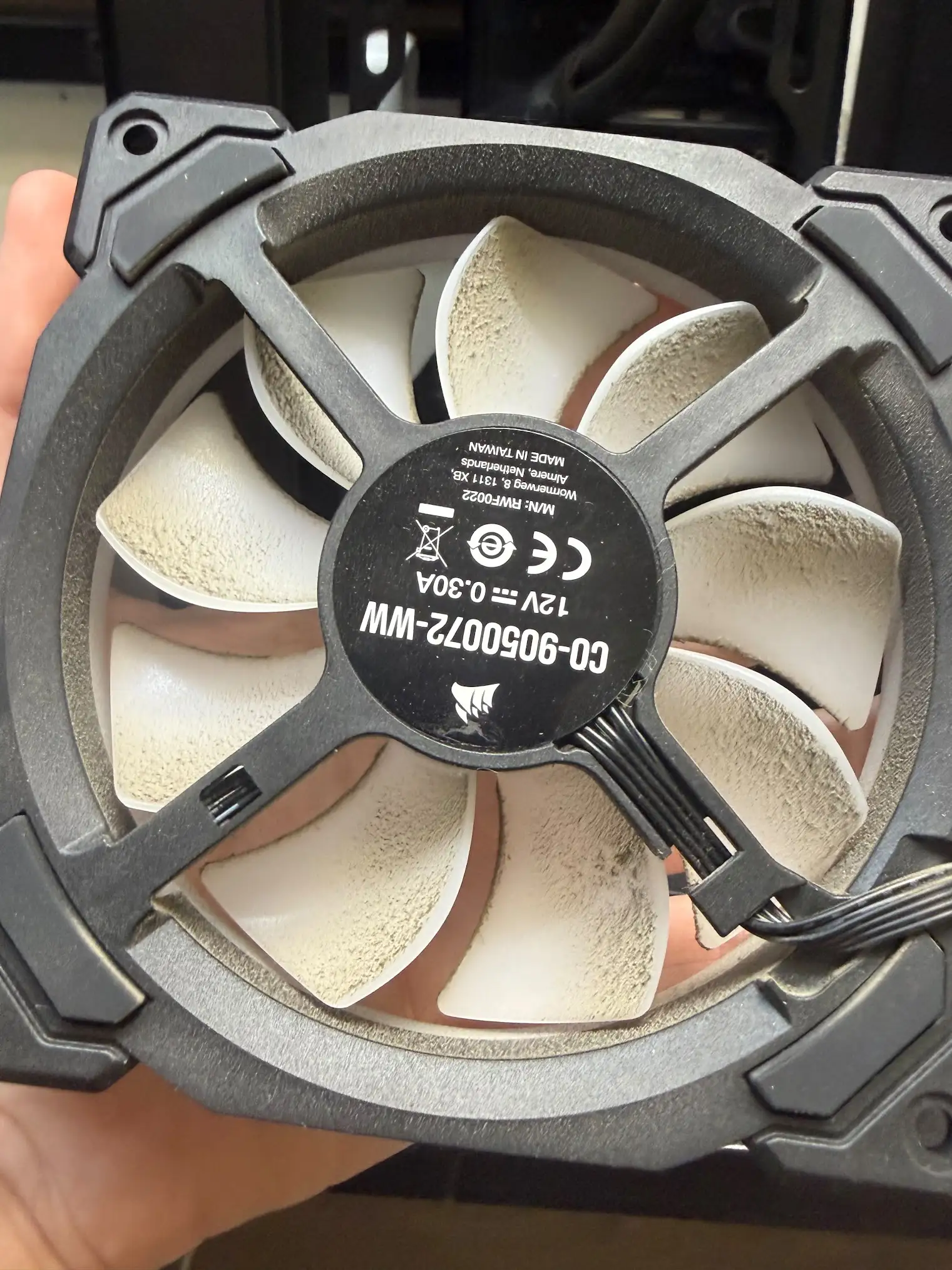
Dell specifically identifies lint and dust on cooling fins plus obstructed fans/vents as physical causes of excess heat and loud fans.

Dust buildup on a computer cooling fan during repair

Dust buildup on a computer cooling fan during repair.

Thermal throttling

Slower under heat does not automatically mean hardware failure

Dell describes thermal throttling as built-in protection: when the CPU or GPU reaches high temperature, clock speed is reduced to lower heat output. Under sustained heavy work, that can happen even when the cooling system is functioning.

What is more concerning is throttling within minutes of light use or throttling combined with lockups, abnormal fan behavior or shutdowns.

Apple similarly explains that Mac systems use temperature sensors and fans to cool critical components, and that high CPU load can increase fan activity.

Mac temperature

Apple publishes environment and ventilation guidance

Ambient temperature

Apple currently specifies an operating ambient range of 10°C to 35°C (50°F to 95°F) for Mac laptops.

Do not diagnose from third-party temperature apps alone

Apple warns that third-party temperature apps do not measure external case temperature and should not be used by themselves to diagnose hardware issues.

Safety stop

Some “overheating” symptoms are battery or electrical warnings

Stop normal use for swelling, deformation, burning/chemical smell, or a computer that remains too hot to touch after shutdown.

Dell's current thermal guidance treats these as safety conditions and warns against opening the computer or removing a swollen battery yourself.

Related symptoms

If heat is not the main symptom, start with what you notice most

Laptop keeps shutting off

If power loss is the dominant symptom.

Shutdown Guide →

Laptop freezing

If the machine remains powered but locks up.

Freezing Guide →

Slow computer

If the computer is sluggish without strong heat/fan symptoms.

Slow Computer →

Customer appointment reports

Customer appointment reports are too limited for a useful percentage

Only a few appointments in the sample mention thermal or fan symptoms. That is too small for a useful percentage, and the appointments were not matched to completed repairs.

“Appointment data reflects issues customers selected or described before diagnosis. It should not be interpreted as technician-confirmed faults or completed repairs.”

Frequently asked questions

Computer overheating FAQ

Why is my laptop overheating?
Heat can come from sustained workload, blocked airflow, dust, high ambient temperature, software/process load, fan problems or other cooling-system issues. Warmth under load can be normal; persistent excess heat with throttling, lockups or shutdowns deserves diagnosis.
Is it normal for a laptop to get hot?
Some warmth is normal during gaming, video work, updates or other heavy tasks. Dell and Apple both distinguish normal workload-related heat/fan activity from persistent excess heat, abnormal fan behavior, lockups or shutdowns.
Can dust make a computer overheat?
Yes. Dell specifically identifies lint and dust on cooling fins plus blocked vents as airflow causes that can raise temperature and make fans work harder.
Can overheating make a laptop slow?
Yes. Thermal throttling reduces processor or graphics speed to lower heat output. Dell notes that throttling by itself can be normal under sustained heavy work, but early throttling during light use or alongside shutdowns can indicate a problem.
Can overheating cause a laptop to shut down?
Yes. Dell documents unexpected shutdowns and restarts as possible overheating symptoms. If a laptop shuts down without feeling hot, power or battery problems may be more relevant.
Why is my laptop fan so loud?
Fan speed can rise normally under heavy CPU/GPU load. Persistent maximum fan speed at idle, rattling/grinding, or a fan that fails diagnostics is more concerning.
Should I use a cooling pad?
A cooling pad can improve external airflow in some setups, but it does not replace diagnosing blocked vents, a failed fan, damaged heat sink or software/process load.
Can I use compressed air to clean laptop vents?
Follow the device manufacturer's cleaning/service guidance. Avoid opening the laptop or forcing debris deeper if you are not trained, especially when a swollen battery or other safety condition is present.
What temperature is too hot for a laptop?
There is no single external-case number that diagnoses every laptop. Apple instead publishes an ambient operating range for Mac laptops and warns that third-party temperature apps do not measure external case temperature. Diagnose the symptom pattern, fan behavior and manufacturer limits.
When should an overheating computer be professionally inspected?
Service is appropriate when a fan fails diagnostics, the fan does not spin, the system overheats or shuts down, there is grinding/rattling, severe heat at idle, swelling/deformation, or a burning/chemical smell.

Professional service

Persistent thermal symptoms need cooling-system diagnosis

Laptop Repair

For laptops with fan, thermal or shutdown symptoms.

View Laptop Repair →

Computer Repair

For desktops, gaming PCs and all-in-ones with cooling problems.

View Computer Repair →

PRM Repair Intelligence

Original Repair Research by Phone Repair & More®

Warm under load can be normal. Persistent excess heat, abnormal fans, throttling and shutdowns change the diagnosis.
Data through August 2026.