
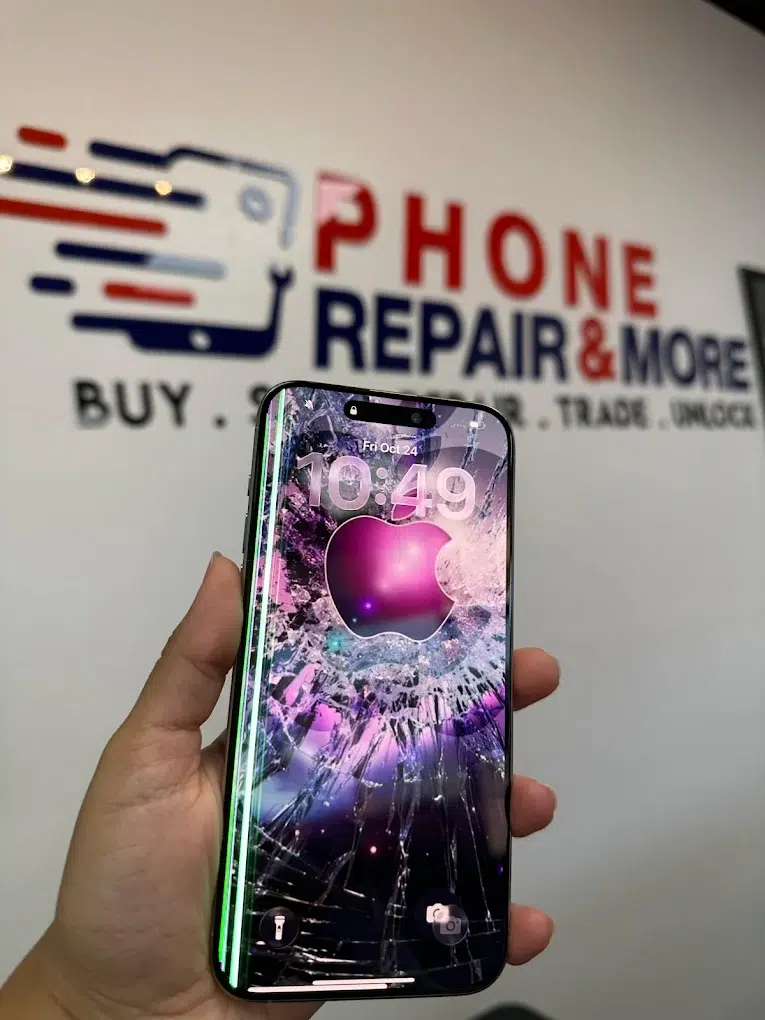
Should you fix it first?
Get an offer with the damage disclosed, a repair quote, and an estimate for the phone after repair. Subtract the repair cost from the repaired-device offer. If that leaves you with less than the damaged-device offer, trade it in as-is or ask for a cash offer.
Apple and carrier trade-in offers
Apple Trade In
Use Apple’s trade-in estimator and answer the condition questions accurately. Apple verifies the phone’s condition and may adjust the estimate if the damage differs from what you reported. A device with no trade-in value may still qualify for recycling.
Carrier promotions
Check whether the specific offer accepts your iPhone model and the damage it has. If the credit comes through your monthly bill, check the required plan, how long the credits last, and what happens if you change plans or leave early. See the current AT&T offers and Verizon trade-in terms.
What affects your iPhone’s value?
The model, storage, and condition can all change your offer. Describe what you can see and which functions you can verify safely.
| Condition | What to tell the buyer | What to do |
|---|---|---|
| Cracked screen | Mention display lines, dark spots, or touch problems you’ve noticed. | Compare the offer with your screen repair options. |
| Cracked back glass | Report back-glass damage even if the display works. | Ask whether the offer accepts that damage and get a separate repair quote. |
| Won’t power on or got wet | Report the power issue and any known liquid exposure. | Get the phone checked before paying for a screen replacement. |
Technician’s note: A black screen after a drop can make it hard to tell whether the phone still powers on. Tell us what happened and whether getting your photos or other data back is your priority.
How to compare repair and trade-in
- Check the damage you can see. Look at the front, back, and frame without pressing loose glass or opening the phone. Note any problems you already noticed with the display, touch, or cameras.
- Get an offer as-is. Disclose the damage and confirm whether you would receive cash, store credit, or bill credits.
- Get a repair quote and check the repaired value. Ask the program what it would offer after the repair and whether it has any requirements for replacement parts.
- Compare what you’d actually receive. Subtract the quoted repair cost from the estimated repaired value and compare that figure with your as-is offer.
Stop using the iPhone if you suspect battery damage. If the phone is swollen, leaking, or unusually hot, stop charging it. Call for safe handling instructions before taking it in or mailing it.
Before you hand over your iPhone
- Back up your data and verify that your photos, messages, and account access work on your replacement device.
- For a sale or trade-in, follow Apple’s steps to sign out, erase the iPhone, and remove Activation Lock. Transfer your phone line first if you’re moving a SIM or eSIM.
- Keep a copy of the quote and photos of the phone’s condition. If you’re dropping it off for repair, back it up and ask the shop what preparation it needs before erasing anything.
Cracked iPhone trade-in questions
Will Apple give me credit for a cracked screen?
It depends on the model and condition. Disclose the crack when requesting an estimate. Apple verifies the device before confirming the final credit.
Can I trade in an iPhone with a cracked back?
Some offers may accept it. Report the back-glass damage separately, even if the screen works, and ask the program to confirm eligibility.
Can I sell an iPhone that won’t turn on?
You can request a cash offer for a broken iPhone. Tell us the model, what happened, and whether it shows any signs of power so we can assess it.
Is it worth repairing a cracked screen before trading in?
It can be worth it if the additional credit exceeds the full repair cost. Get both quotes and check the offer’s condition rules before booking.
Get a repair quote before you decide
Tell us what happened to your iPhone. We’ll check the damage and explain your repair options so you can compare them with your trade-in offer.
8 Florida stores · 17,000+ Google reviews
Find your Florida repair store
Tampa
5537 Sheldon Rd Suite F, Tampa, FL 33615Carrollwood
10019 N Dale Mabry Hwy Suite 600, Tampa, FL 33618Wesley Chapel
5339 Village Mkt, Wesley Chapel, FL 33544Land O’ Lakes / Lutz
2436 Land O’ Lakes Blvd, Land O’ Lakes, FL 34639Zephyrhills
7352 Gall Blvd, Zephyrhills, FL 33541St. Petersburg
2870 34th St N, St. Petersburg, FL 33713Spring Hill
12991 Cortez Blvd, Spring Hill, FL 34613Davenport
236 Kersey St, Davenport, FL 33897More ways we can help
Get your iPhone repaired
Ask about a cracked screen, back glass damage, or a phone that won’t turn on.
Sell your iPhone
Request a cash offer and compare it with your trade-in credit.
Sell other devices
See what you can sell if you have more than one device to clear out.